Windsurf
This extension is a tool for visualizing and editing Mermaid diagrams in Windsurf. It enables developers to view and edit diagrams stored in Mermaid Chart directly from Windsurf, simplifying the development workflow.
Download
Download the plugin from the Windsurf Marketplace.
Features
The Mermaid Chart extension offers the following features:
-
Attach diagrams into your code, highlighted with an icon in the footer.
-
Two links associated with each diagram: one for viewing the diagram in a new tab within Windsurf, and another for editing the diagram in Mermaid Chart.
-
Quickly consume and update diagrams as needed.
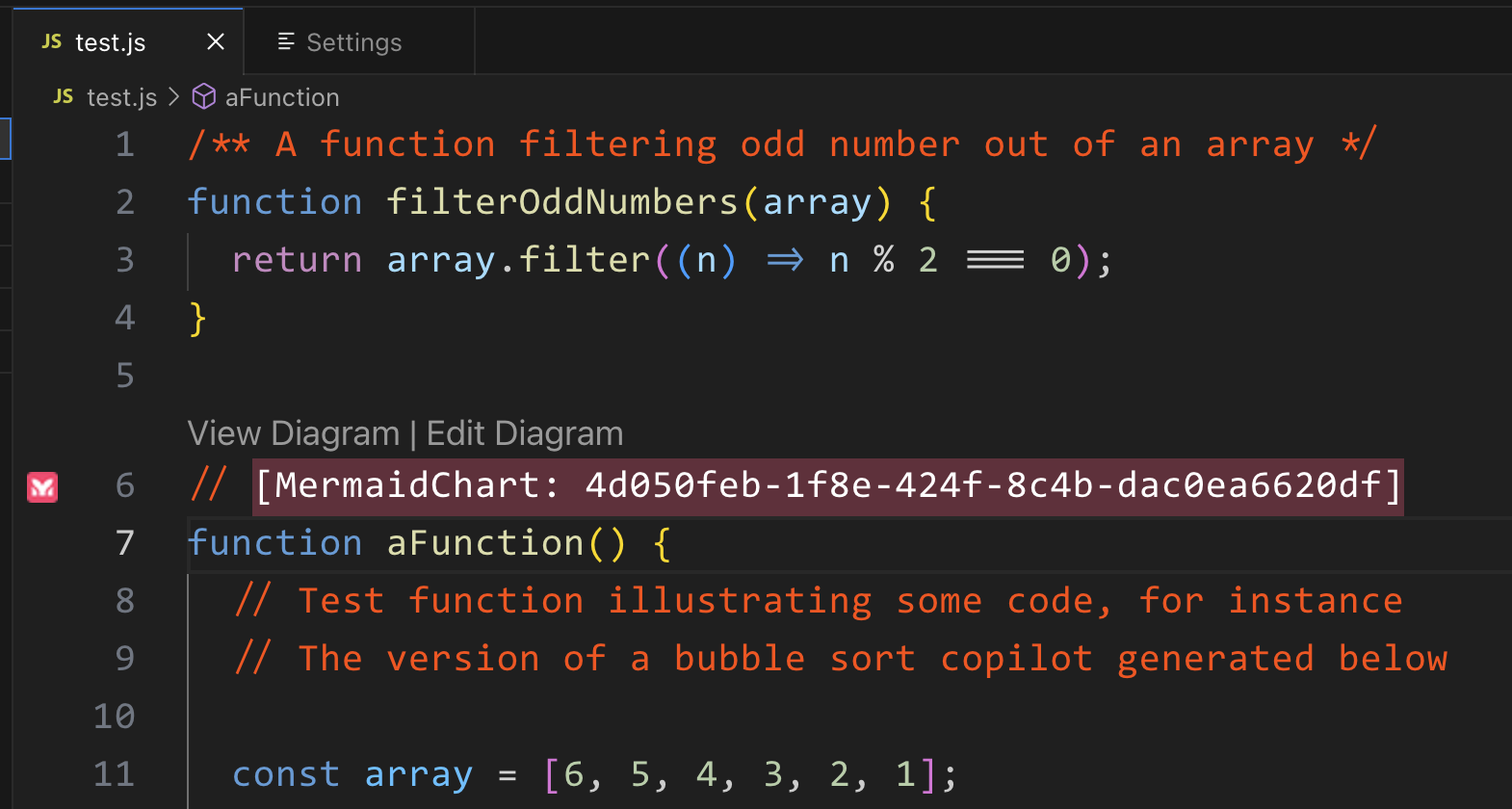
Image #1: This is an example showing how the diagram is attached in the code (see line 6).
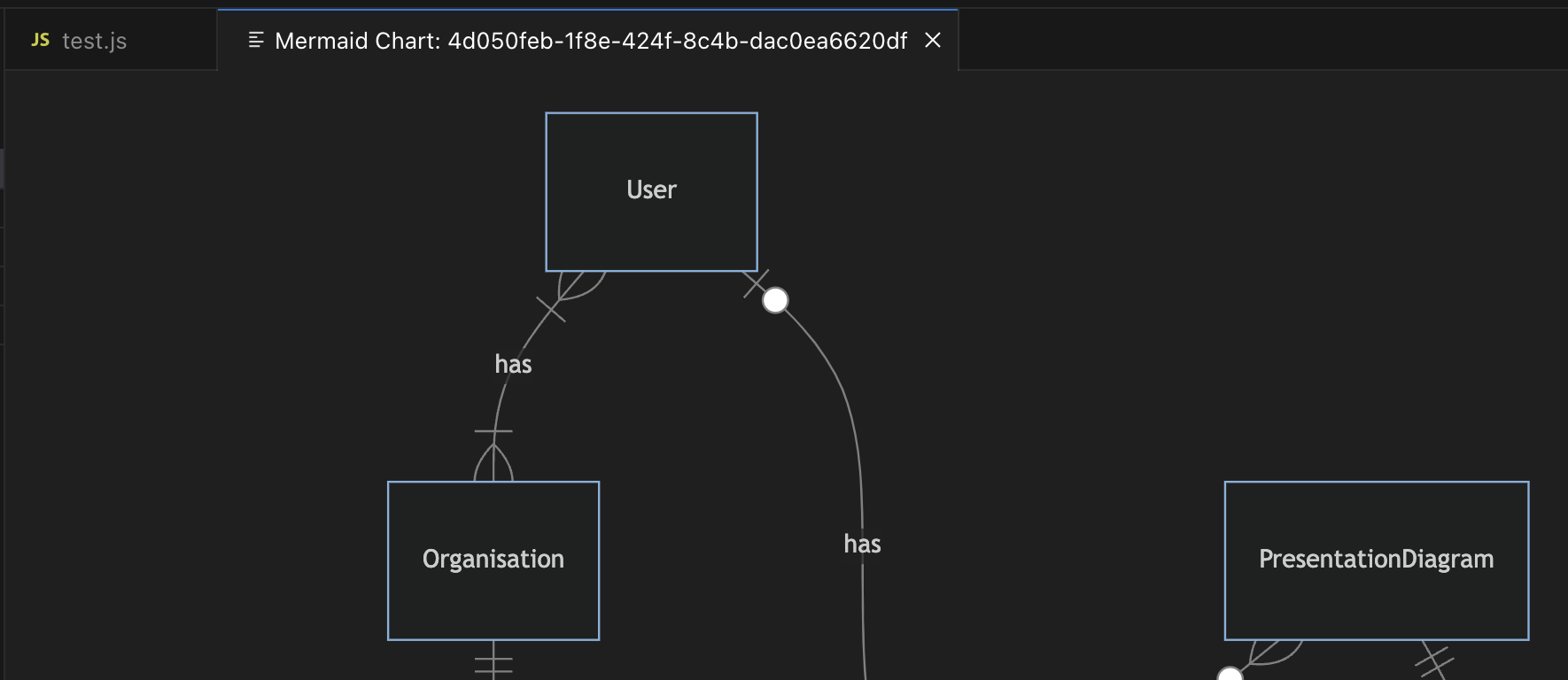
Image #2: Clicking on the "View Diagram" link (shown in Image #1), opens a new tab with a rendering of the diagram.
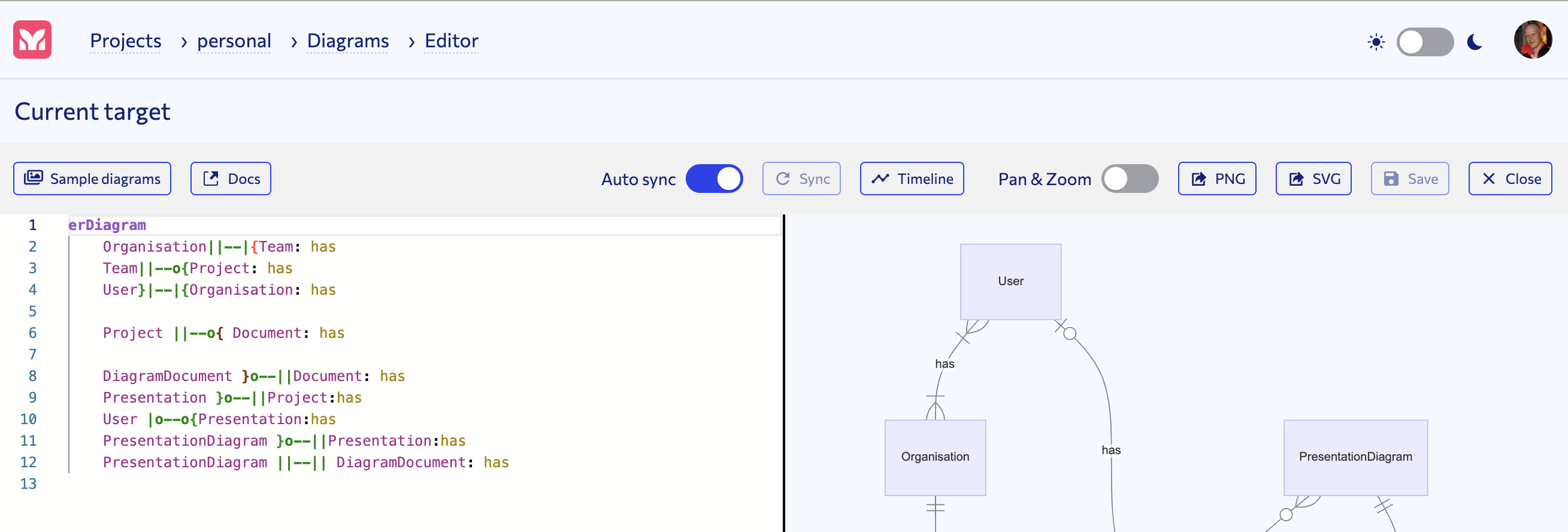
Image #3: Clicking on the "Edit Diagram" link (shown in Image #1), opens up the Mermaid Chart Editor.
Requirements
The Mermaid Chart extension seamlessly integrates with the Mermaid Chart service. To use the extension, you need an account. Collaborate with your development organization by setting up teams and sharing diagrams, simplifying diagram management, and enhancing your workflow with Mermaid Chart for Windsurf.
Extension Settings
The Mermaid Chart extension contributes the following settings:
-
mermaidChart.baseUrl -
This setting points to the instance of Mermaid Chart you are running. For the public service, the base URL is
https://mermaid.ai/.