Build with code
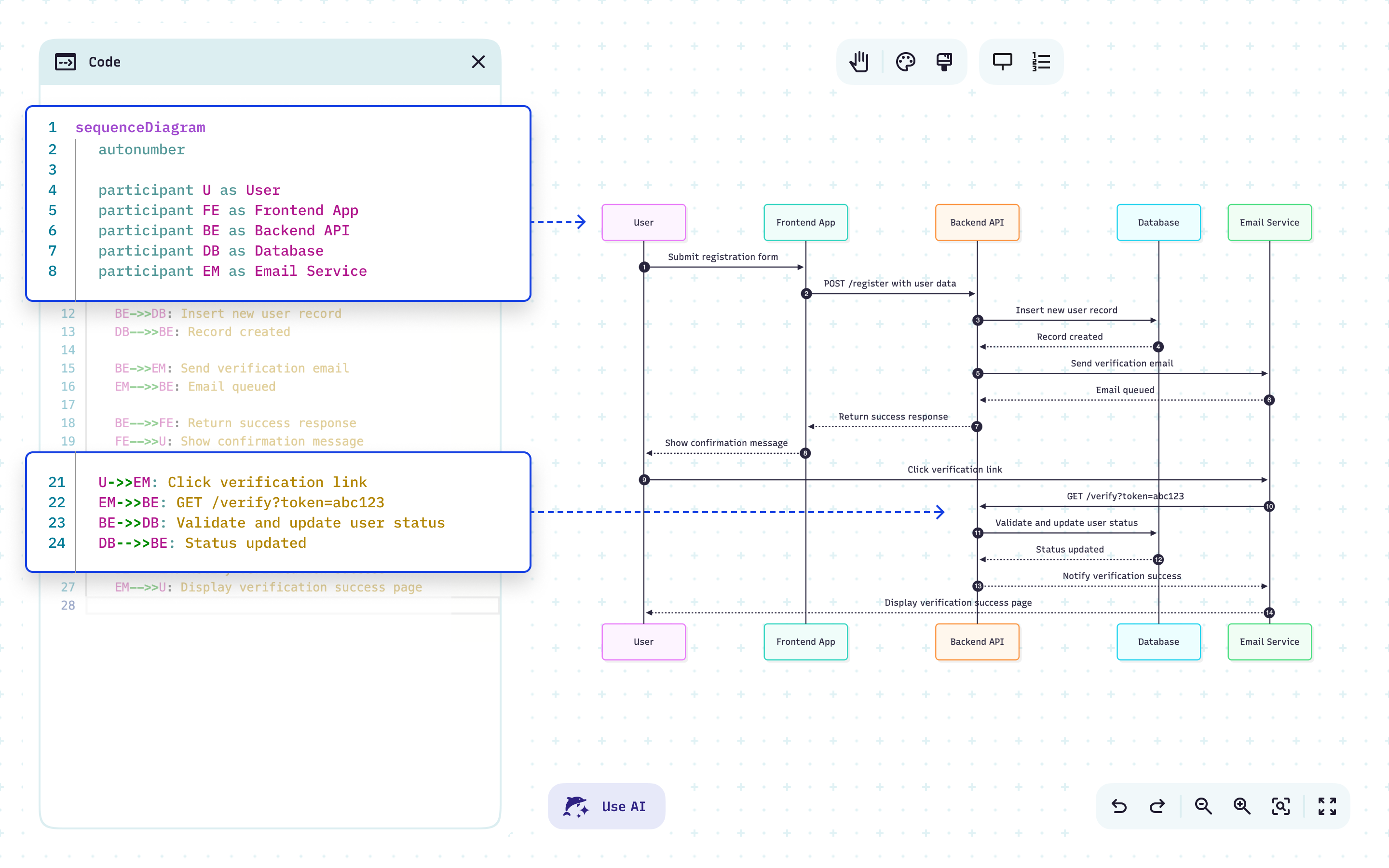
Your diagram is just text. Treat it like code.
Write it in Mermaid syntax, version it in Git, and let Mermaid handle the layout. The diagram lives next to the thing it describes — and never drifts out of date.
Write diagrams as code*
Describe systems in Mermaid’s Markdown-style syntax and generate diagrams automatically.
Skip the manual formatting
No dragging boxes or fixing arrows. Your text defines the logic and Mermaid handles the layout.
Keep visuals and logic in sync
Edit your logic in text or diagrams — changes update both so docs and visuals never go stale.
Extend your editor
From VS Code to Confluence to Google Anti-gravity IDE, our plugins keep diagrams alongside your code. No context-switching, no interruptions.
Version diagrams like code
Because they’re text-based, Mermaid diagrams fit naturally into your Git workflows.
Use AI to move faster
Use @mermaid-chart in GitHub Copilot Chat, or connect to our MCP server to generate, validate, and render diagrams directly from Claude, VS Code, or Cursor — no manual syntax needed.
*Mermaid’s Markdown-style syntax is clear and readable, so no technical skills are required. Want to learn how to write it yourself? Check out our docs.
See your code in context
Visualize what matters most to build, document, review, and innovate.
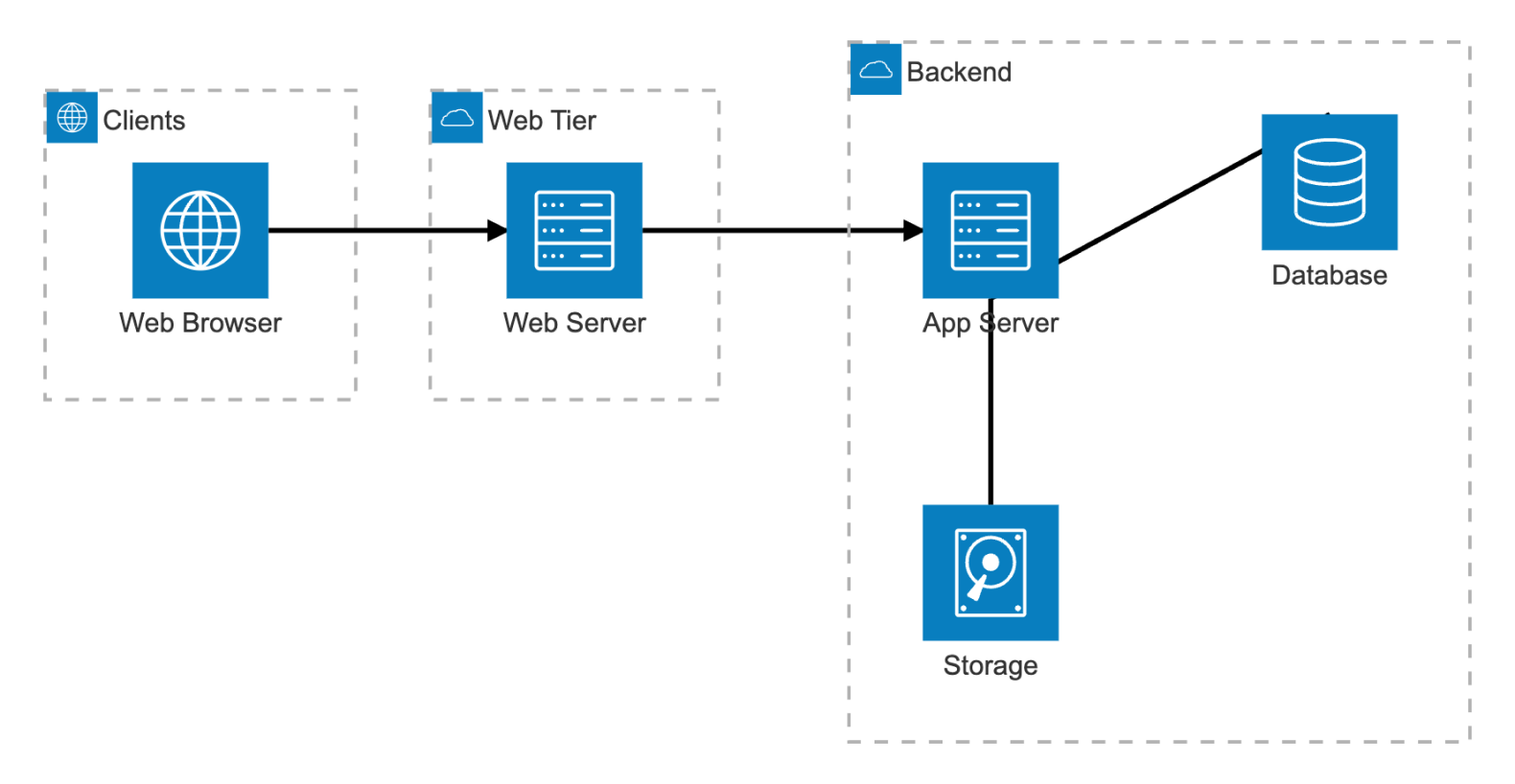
Map your architecture
See how your systems fit together, before and after you build.
Plan cloud infrastructure and map AWS, Azure, or GCP services in minutes
Spot dependencies that could cause bottlenecks later
Explain architecture to teammates and stakeholders clearly in reviews, proposals, or documentation
Mermaid recommends:
Flowcharts, C4 diagrams, architecture diagrams
Document your code
Make your codebase easier to understand and maintain.
Explain communication flow between systems with sequence diagrams — click any element to jump straight to the matching syntax
Embed diagrams in READMEs or attach them to specific code files so teammates can find them right where they work
Reduce onboarding time with clear, AI-generated overviews of any codebase
Mermaid recommends:
Sequence diagrams, Class diagrams, Architecture diagrams (C4), ER diagrams
Model your databases
See how your data connects, and share that picture with your team.
Design schemas before coding to avoid costly rework
See how tables, keys, and constraints fit together without digging through SQL
Share data flows and ownership so teammates and stakeholders stay on the same page
Mermaid recommends:
ER diagrams
Track ownership and dependencies
Show who owns what and how the system really works.
Visualize code ownership to know who maintains each package
Uncover hidden dependencies before they become blockers
Simplify code reviews and handoffs with clear, up-to-date visuals
Mermaid recommends:
Flowcharts, Git graphs
Map your architecture
See how your systems fit together, before and after you build.
Plan cloud infrastructure and map AWS, Azure, or GCP services in minutes
Spot dependencies that could cause bottlenecks later
Explain architecture to teammates and stakeholders clearly in reviews, proposals, or documentation
Mermaid recommends:
Flowcharts, C4 diagrams, architecture diagrams
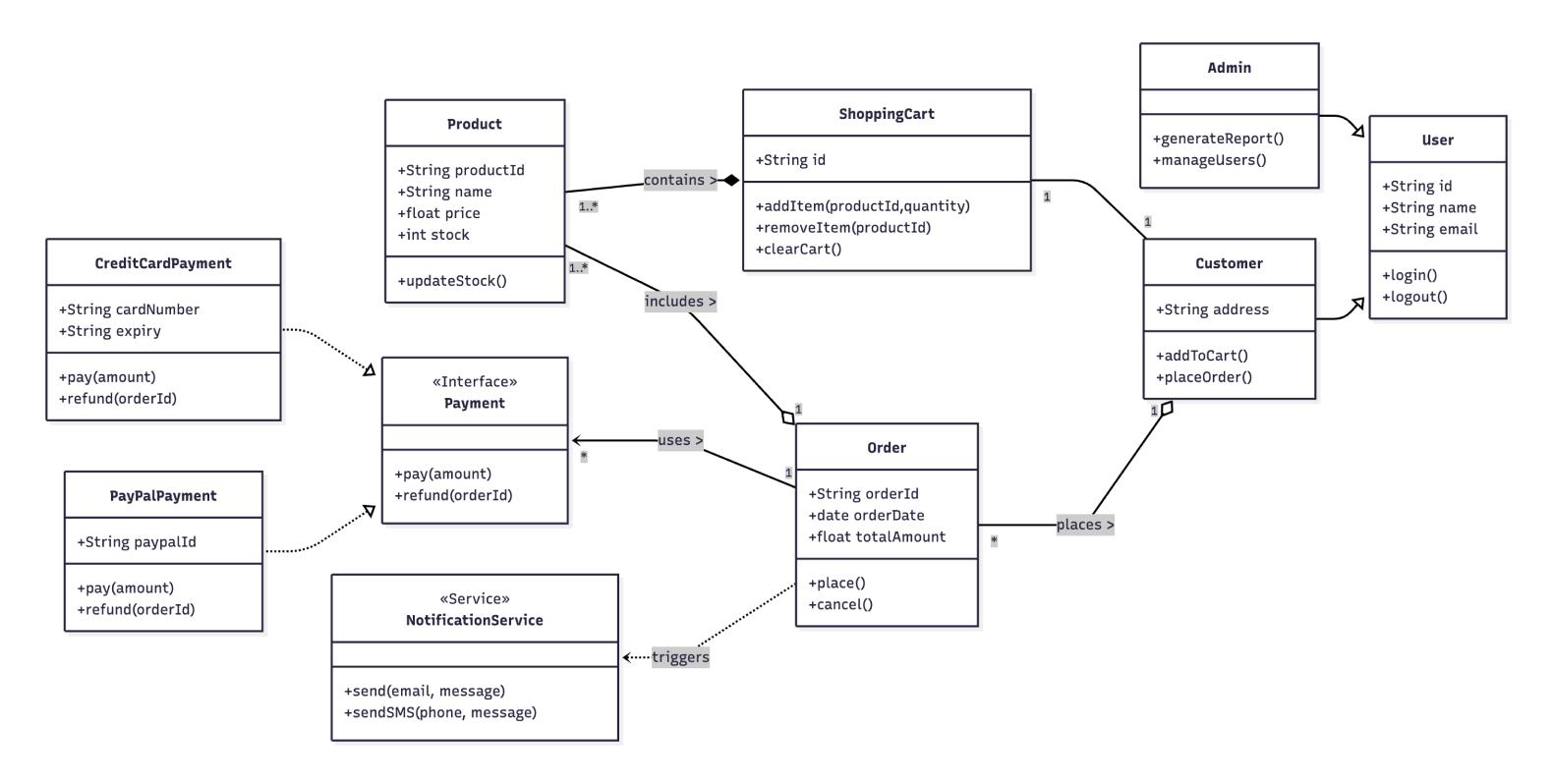
Document your code
Make your codebase easier to understand and maintain.
Explain communication flow between systems with sequence diagrams — click any element to jump straight to the matching syntax
Embed diagrams in READMEs or attach them to specific code files so teammates can find them right where they work
Reduce onboarding time with clear, AI-generated overviews of any codebase
Mermaid recommends:
Sequence diagrams, Class diagrams, Architecture diagrams (C4), ER diagrams
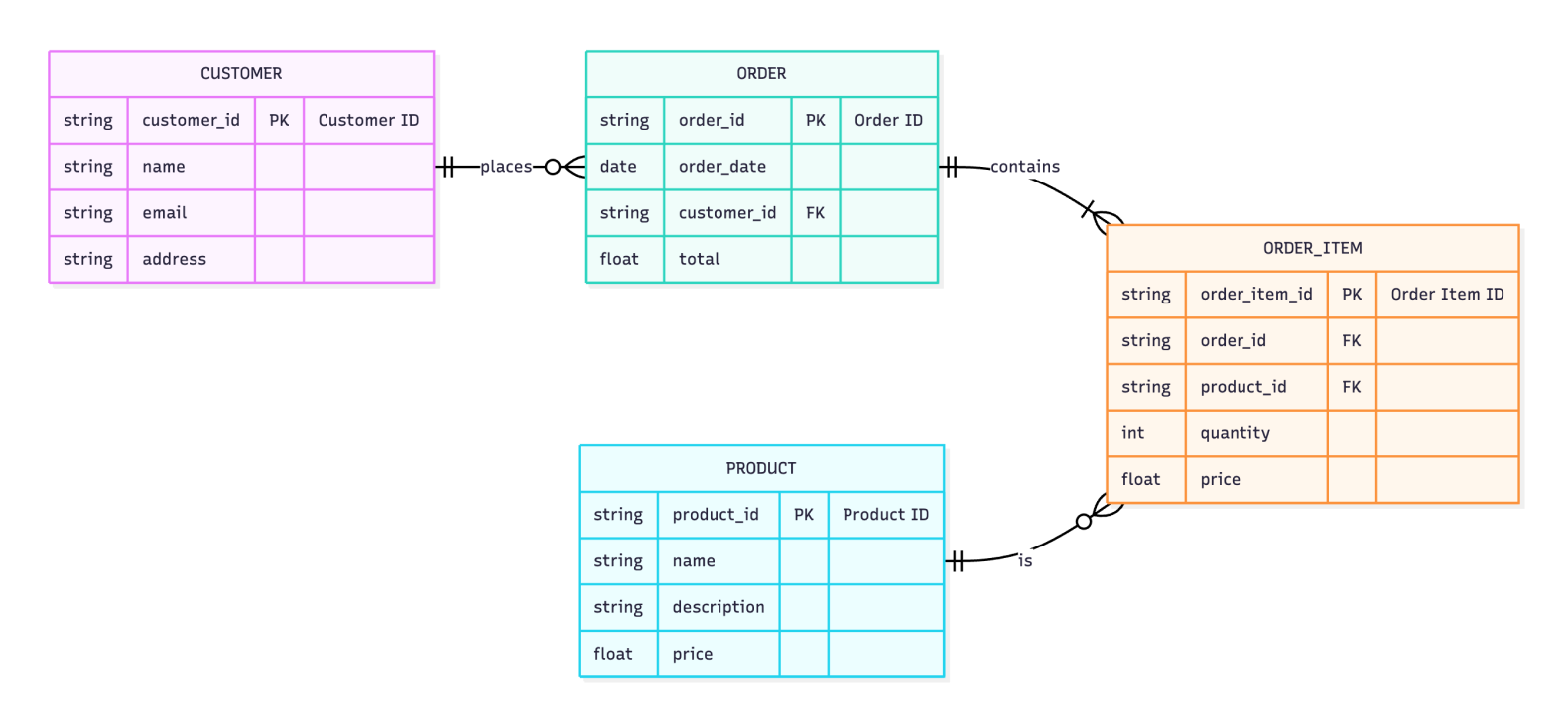
Model your databases
See how your data connects, and share that picture with your team.
Design schemas before coding to avoid costly rework
See how tables, keys, and constraints fit together without digging through SQL
Share data flows and ownership so teammates and stakeholders stay on the same page
Mermaid recommends:
ER diagrams
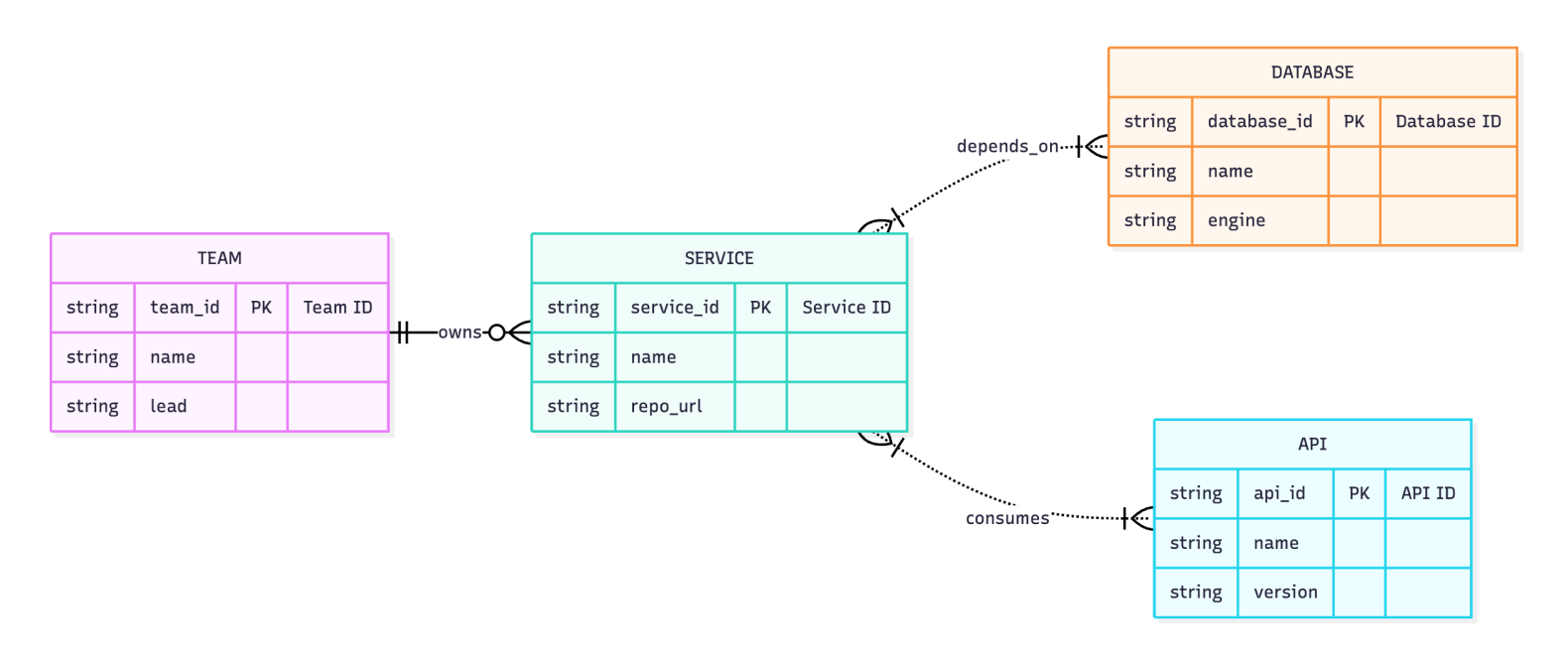
Track ownership and dependencies
Show who owns what and how the system really works.
Visualize code ownership to know who maintains each package
Uncover hidden dependencies before they become blockers
Simplify code reviews and handoffs with clear, up-to-date visuals
Mermaid recommends:
Flowcharts, Git graphs
Turn Markdown into diagrams
01.
Use Mermaid's Markdown-style syntax directly in VS Code, the Live Editor, or the Visual Editor after login.
02.
Diagrams render live as you type, in VS Code, JetBrains, or the Live Editor.
03.
Edit the text, prompt in plain language, or hand it to Mermaid AI. The diagram updates automatically.
04.
Store diagrams as plain text in your repo, track changes, and roll back just like any other code.
Want to dive deeper?
Check out our documentation for syntax guides, chart references, and examples to get you started.
Fast, accurate, editable, and yours.
Describe an idea, get a diagram you can refine, then share it with your team in seconds.
FAQ
Have questions about building diagrams with code? These should help.