Build with AI
You describe it. Mermaid builds it.
Describe what you want, upload what you already have, or prompt right inside the canvas. Mermaid AI handles the structure so you stay in flow.

Edit diagrams with a prompt
Adjust layout, labels, and style in plain language — like chatting with a design assistant.
Change the look in seconds
Swap colors, themes, and layouts with a prompt or a click.
Collaborate visually
Work together in the Visual Editor or your favorite plugins, live or async.
Build diagrams faster
Turn plain text into polished diagrams in seconds, not hours.
Skip the syntax, stay precise
AI writes clean syntax for you, so you never have to memorize it.
Keep your data yours
AI prompts from our paid users aren't used for training, so diagrams stay encrypted and private.
From text to diagrams, in seconds
Mermaid AI handles the complexity so you can focus on the outcome, not the output.
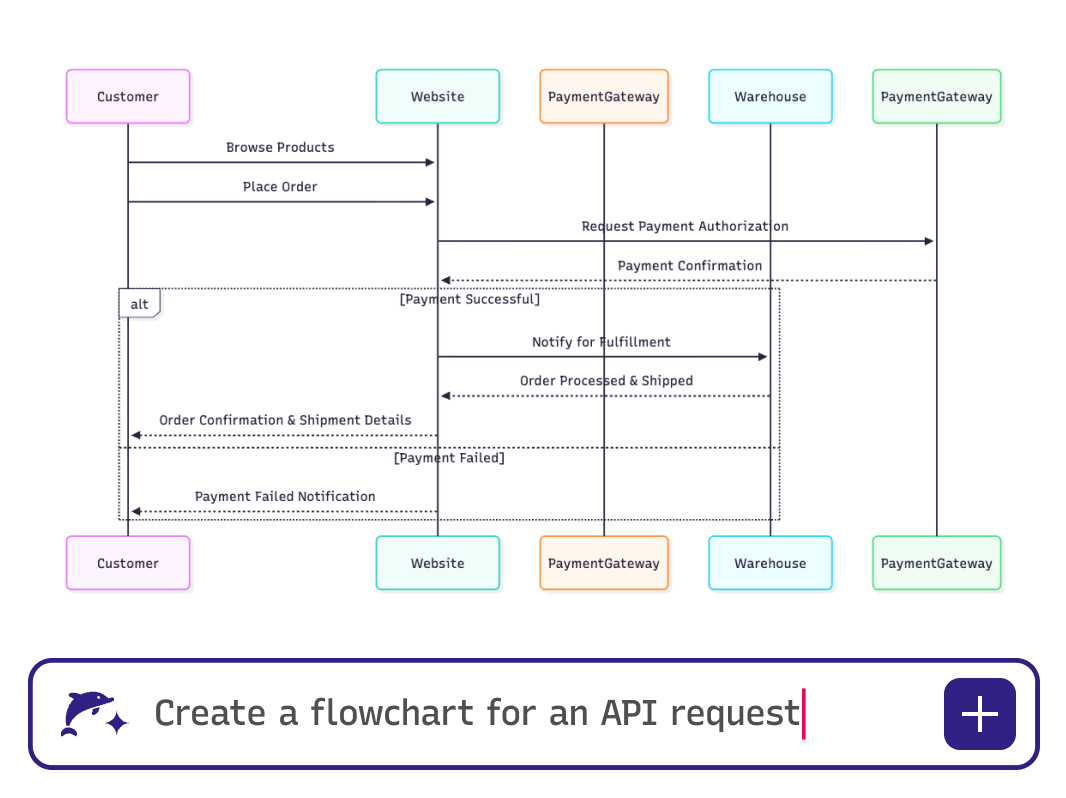
No cold start
Drop a file, describe an idea, or pick a template — and Mermaid gets you to a working first draft fast.
Turn existing notes and specs into living diagrams without rewriting everything from scratch
Upload a PRD, meeting transcript, or rough brain dump
Get a structured first draft in seconds
Iterate from there — the context stays with you across the conversation
Make conversations actionable
Capture thoughts as they happen — AI turns them into shareable diagrams.
Convert meeting transcripts into flowcharts, mind maps, or timelines
Document decisions and discussions without losing context
Help teams remember what was said — and what comes next
Tell the story behind your work
Turn projects, strategies, or processes into diagrams your audience can follow.
Build Gantt charts for feature releases or roadmaps
Show organizational structures or workflow improvements
Guide clients, teammates, or students with clear, structured visuals
Redesign without starting over
Upload existing diagrams or refine them by asking AI.
Transform a PRD or design doc into a system architecture diagram
Edit existing visuals by asking AI to adjust layout, style, or structure
Use AI Repair to selectively fix broken diagrams and preview changes before applying them
Keep documentation and presentations up to date as requirements evolve
Stay on brand with a prompt
Use plain language to tell Mermaid AI what edits you want to make.
Try prompts like “make this a dark theme” or “highlight the database nodes” — your diagram updates automatically
Customize colors, shapes, and layouts without digging through syntax
Diagram straight from your code and data
Upload a schema and get diagrams of your architecture, databases, or ownership models.
See AWS, Azure, or GCP systems laid out visually
Understand dependencies and relationships without manual mapping
No cold start
Drop a file, describe an idea, or pick a template — and Mermaid gets you to a working first draft fast.
Turn existing notes and specs into living diagrams without rewriting everything from scratch
Upload a PRD, meeting transcript, or rough brain dump
Get a structured first draft in seconds
Iterate from there — the context stays with you across the conversation
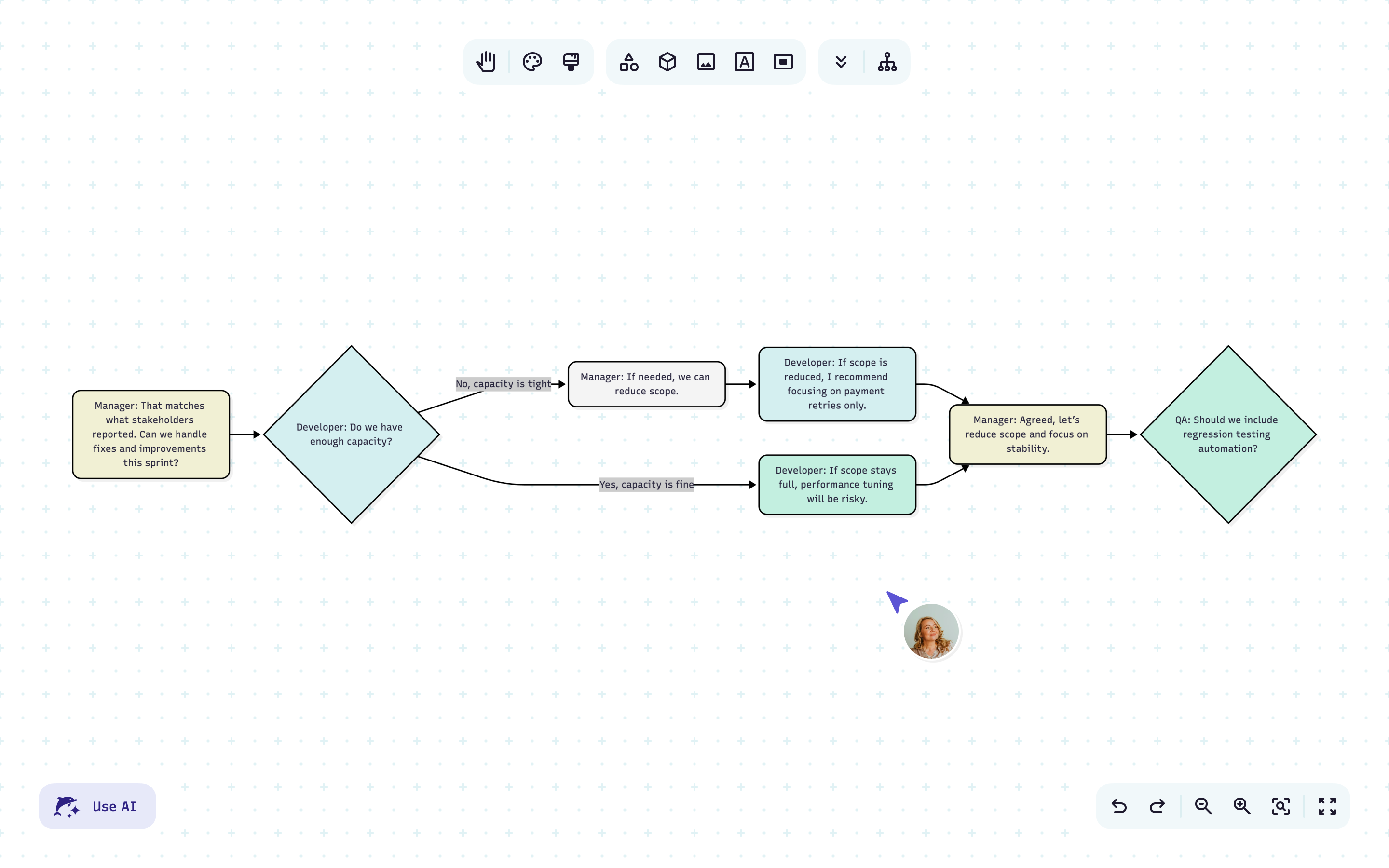
Make conversations actionable
Capture thoughts as they happen — AI turns them into shareable diagrams.
Convert meeting transcripts into flowcharts, mind maps, or timelines
Document decisions and discussions without losing context
Help teams remember what was said — and what comes next
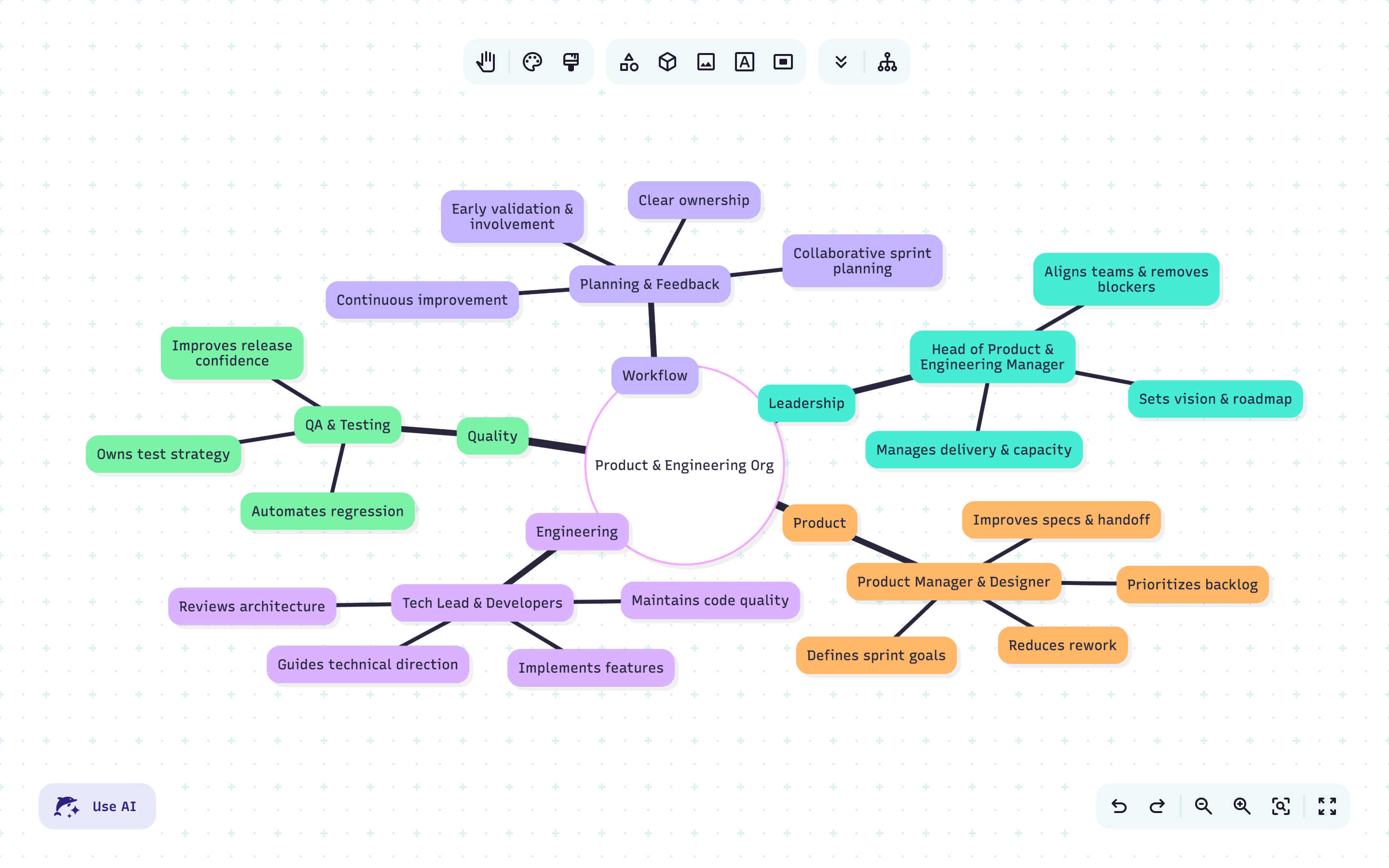
Tell the story behind your work
Turn projects, strategies, or processes into diagrams your audience can follow.
Build Gantt charts for feature releases or roadmaps
Show organizational structures or workflow improvements
Guide clients, teammates, or students with clear, structured visuals
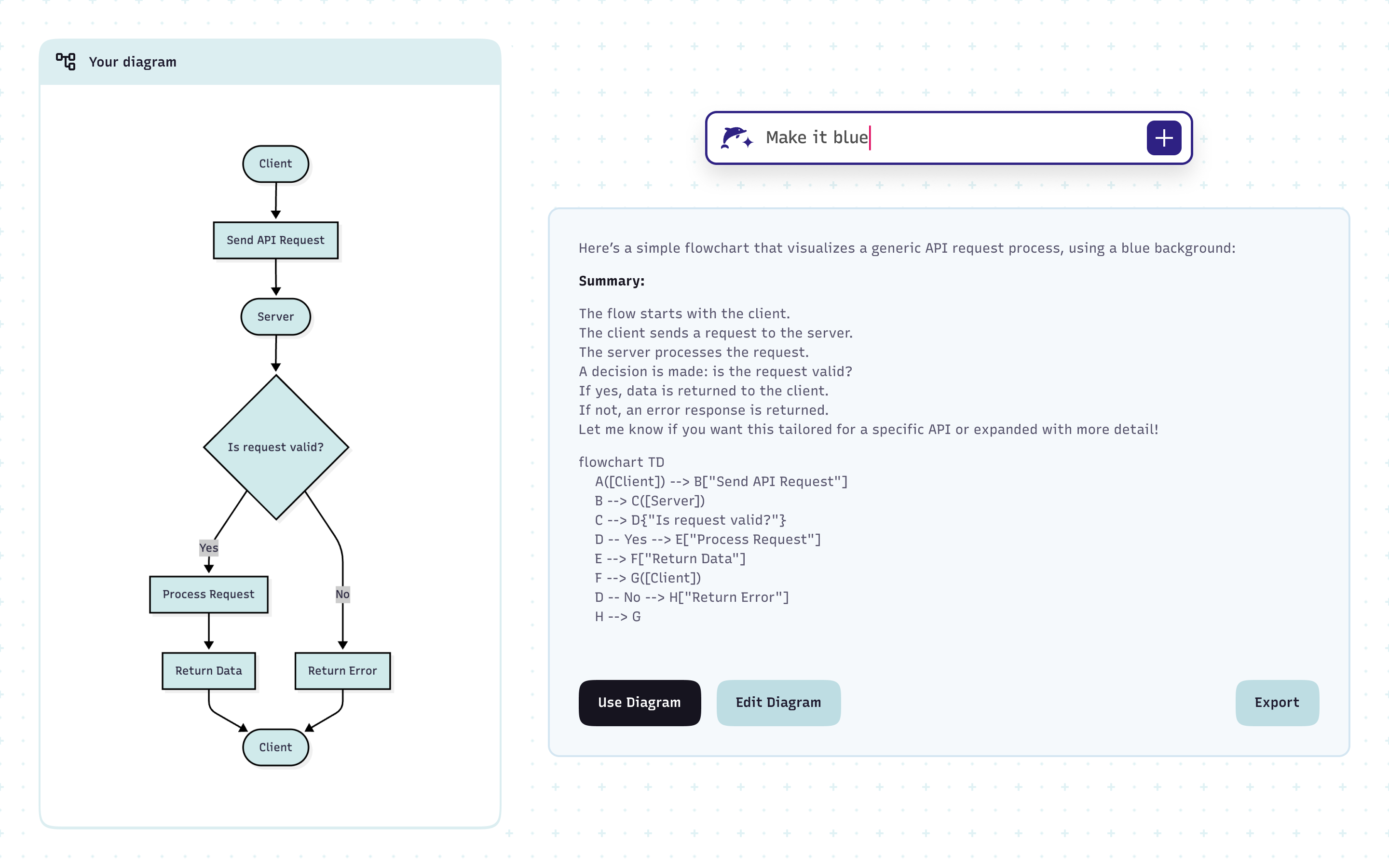
Redesign without starting over
Upload existing diagrams or refine them by asking AI.
Transform a PRD or design doc into a system architecture diagram
Edit existing visuals by asking AI to adjust layout, style, or structure
Use AI Repair to selectively fix broken diagrams and preview changes before applying them
Keep documentation and presentations up to date as requirements evolve
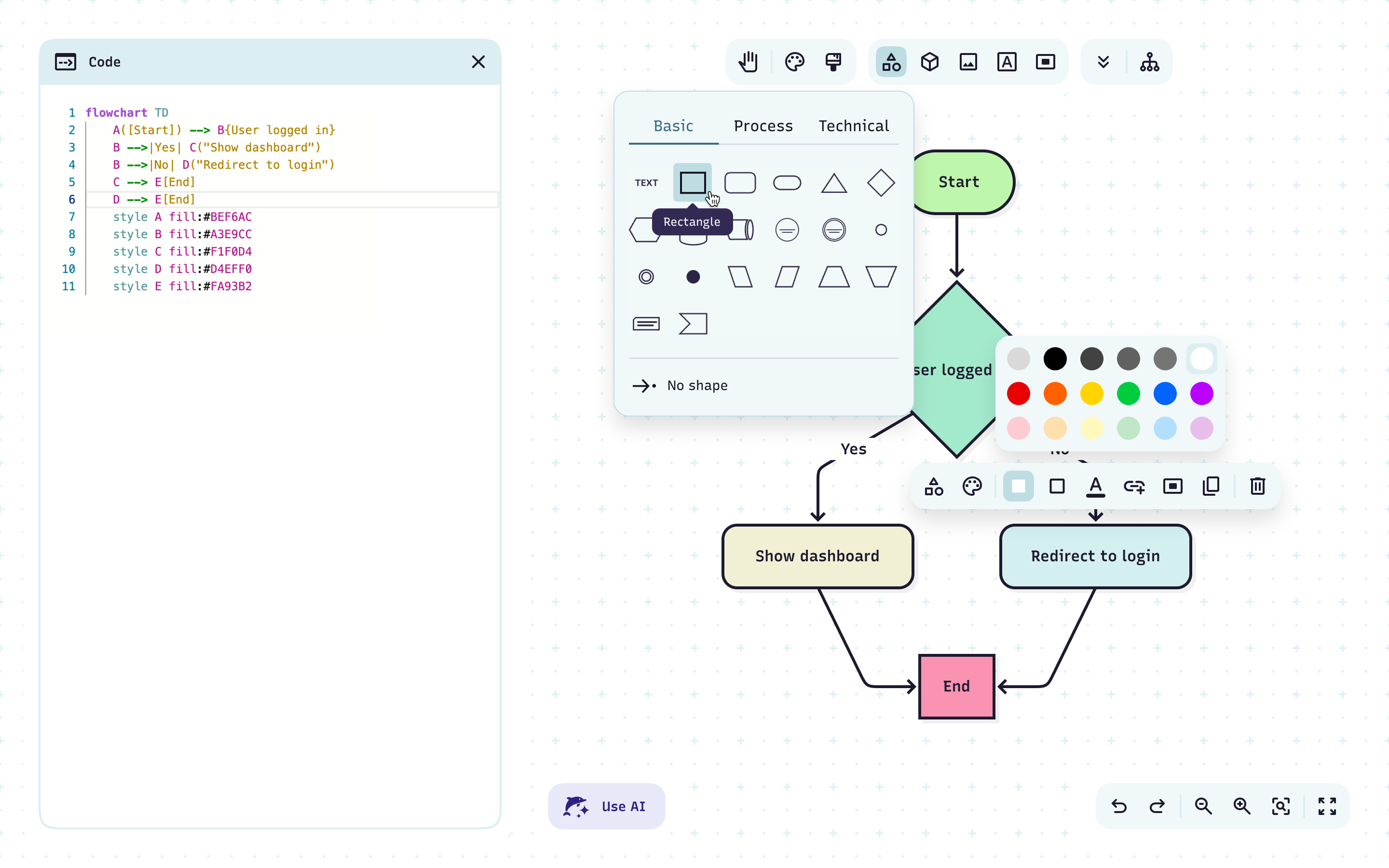
Stay on brand with a prompt
Use plain language to tell Mermaid AI what edits you want to make.
Try prompts like “make this a dark theme” or “highlight the database nodes” — your diagram updates automatically
Customize colors, shapes, and layouts without digging through syntax
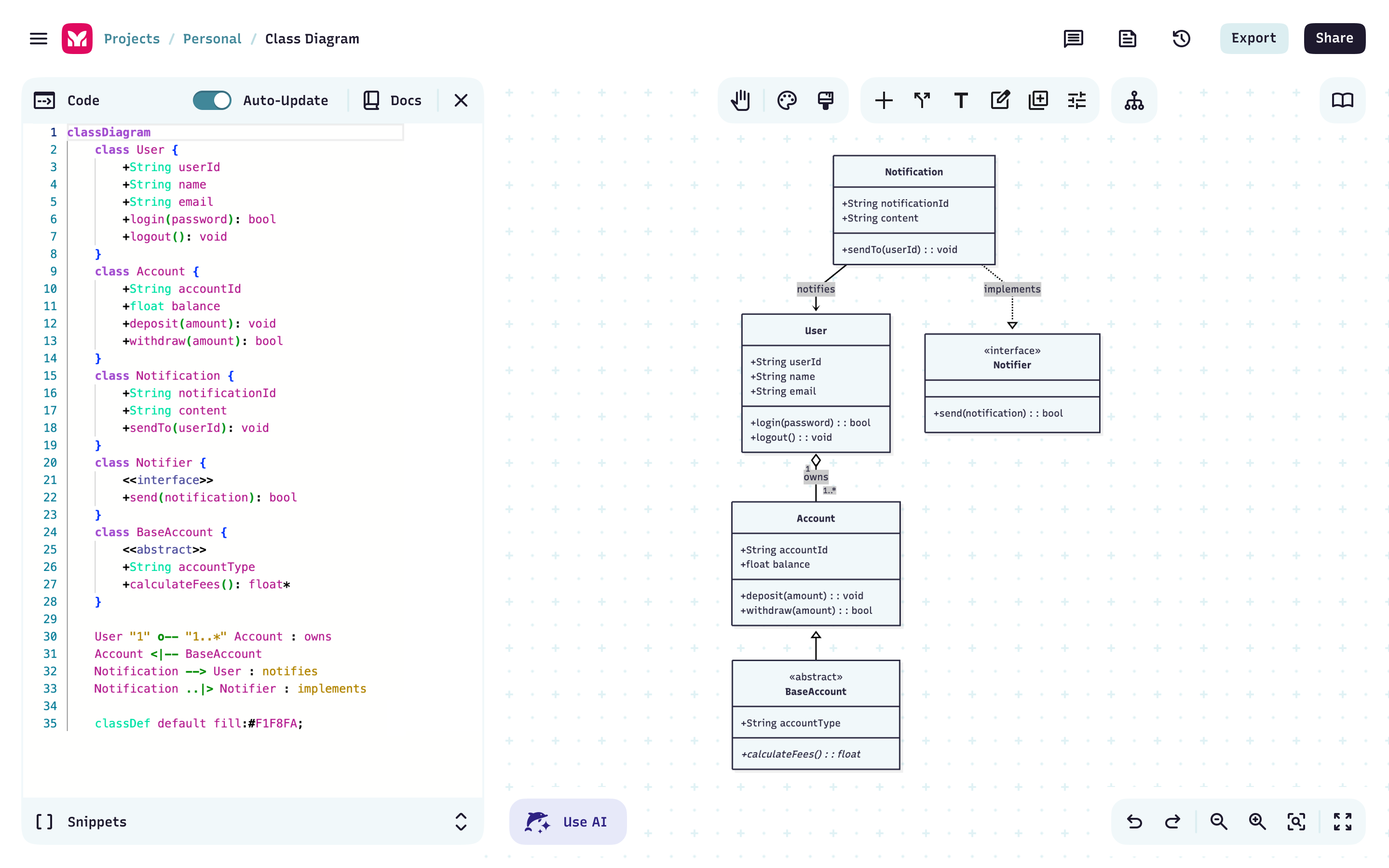
Diagram straight from your code and data
Upload a schema and get diagrams of your architecture, databases, or ownership models.
See AWS, Azure, or GCP systems laid out visually
Understand dependencies and relationships without manual mapping
“Mermaid turns 30–60 minutes of diagramming into 5 — often the difference between doing it or skipping. And the built-in AI made the process even faster.”
“Mermaid and AI makes documenting multi-agent systems and data pipelines fast, clear, and reliable alongside code.”
“Mermaid pairs naturally with AI — Markdown-native diagrams that stay versionable, shareable, and easy to refine.”
“Mermaid has become an indispensable tool for our architecture discussions as it allows us to represent complex workflows”
“The real game-changer is using AI to analyze our software and generate Mermaid syntax so we can visualize complex logic instantly.”
“Mermaid has become an indispensable tool for our architecture discussions as it allows us to represent complex workflows”

Adrian Sanabria
Principal Researcher, The Defenders InitiativeFast, accurate, editable, and yours.
Describe an idea, get a diagram you can refine, then share it with your team in seconds.
FAQ
Have questions about building diagrams with AI? These should help.