Quick comparison guide
Mermaid vs. Whimsical
Compare Mermaid's code-first approach with Whimsical's drag-and-drop editor. See why technical teams choose diagrams as code for version control, precision, and faster collaboration.


vs.

Why code beats drag-and-drop
Diagrams as code vs drag-and-drop
Whimsical is great for quick sketches, but it breaks down when teams need precision, version control, and automation. Mermaid diagrams are written in plain text, so you can track changes, embed them in docs, and update them without losing context. Mermaid keeps your diagrams in sync with your codebase, while Whimsical keeps them in a separate silo. Choose the tool that scales with your engineering workflow.
Version control and diffs
Automated testing and validation
API documentation and SDKs
Architecture diagrams and C4
Sequence diagrams and state machines
Security and compliance diagrams
Infrastructure and deployment maps
Compare
Mermaid
Whimsical
Usage Limits
Number of diagrams
Unlimited*
3 boards
Diagram size
Unlimited†
Not specified
AI credits
15/month
100 lifetime
Collaboration & users
View & comment
Co-editing & external sharing
Viewer seats
Unlimited
Unlimited
User consolidation
-
Security & support
SSO
Customer success manager (CSM)
Custom contract & invoicing
Secure diagram ownership (IP)
Pricing
Free tier
Teams
Enterprise plan
Per-seat pricing
* Basic tier may have limits on the number of diagrams.
† Basic tier has a diagram size limit of 75 lines.
Start today
Made for teams like yours — trusted by over 5M people and over 200k companies
Built for version control and automation
Write diagrams as code, not drag-and-drop
Mermaid diagrams are written in plain text, so you can track changes, automate diffs, and keep documentation in sync with your codebase.
Collaborate with precision, not guesswork
Mermaid diagrams are version controlled, so you can review changes, merge updates, and keep documentation consistent across the entire team.
Keep diagrams synced with your codebase
Mermaid diagrams live in the same workflow as your code, so updates are atomic, diffs are clear, and documentation never drifts from reality.
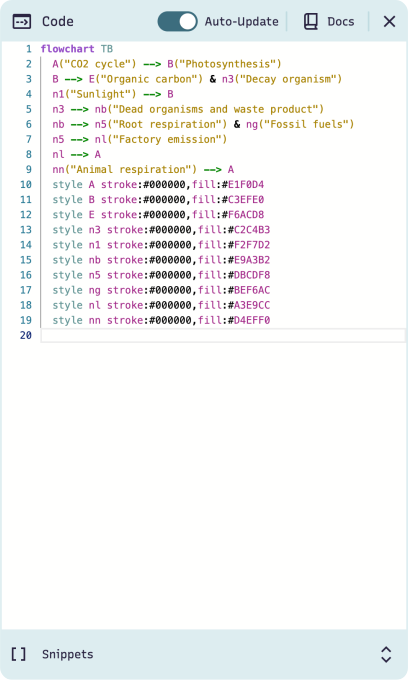
Built for version control and automation
Write diagrams as code, not drag-and-drop
Mermaid diagrams are written in plain text, so you can track changes, automate diffs, and keep documentation in sync with your codebase.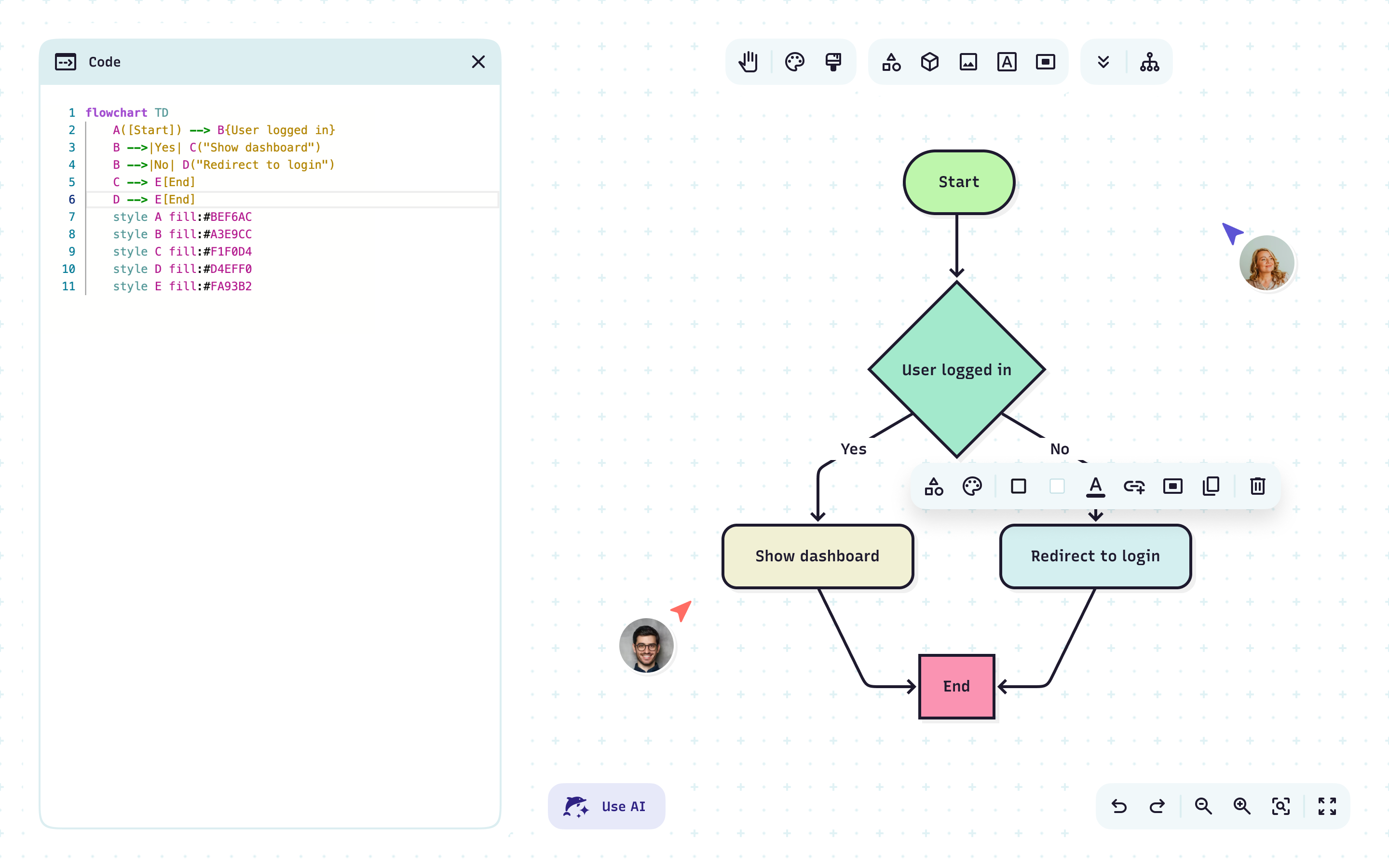
Collaborate with precision, not guesswork
Mermaid diagrams are version controlled, so you can review changes, merge updates, and keep documentation consistent across the entire team.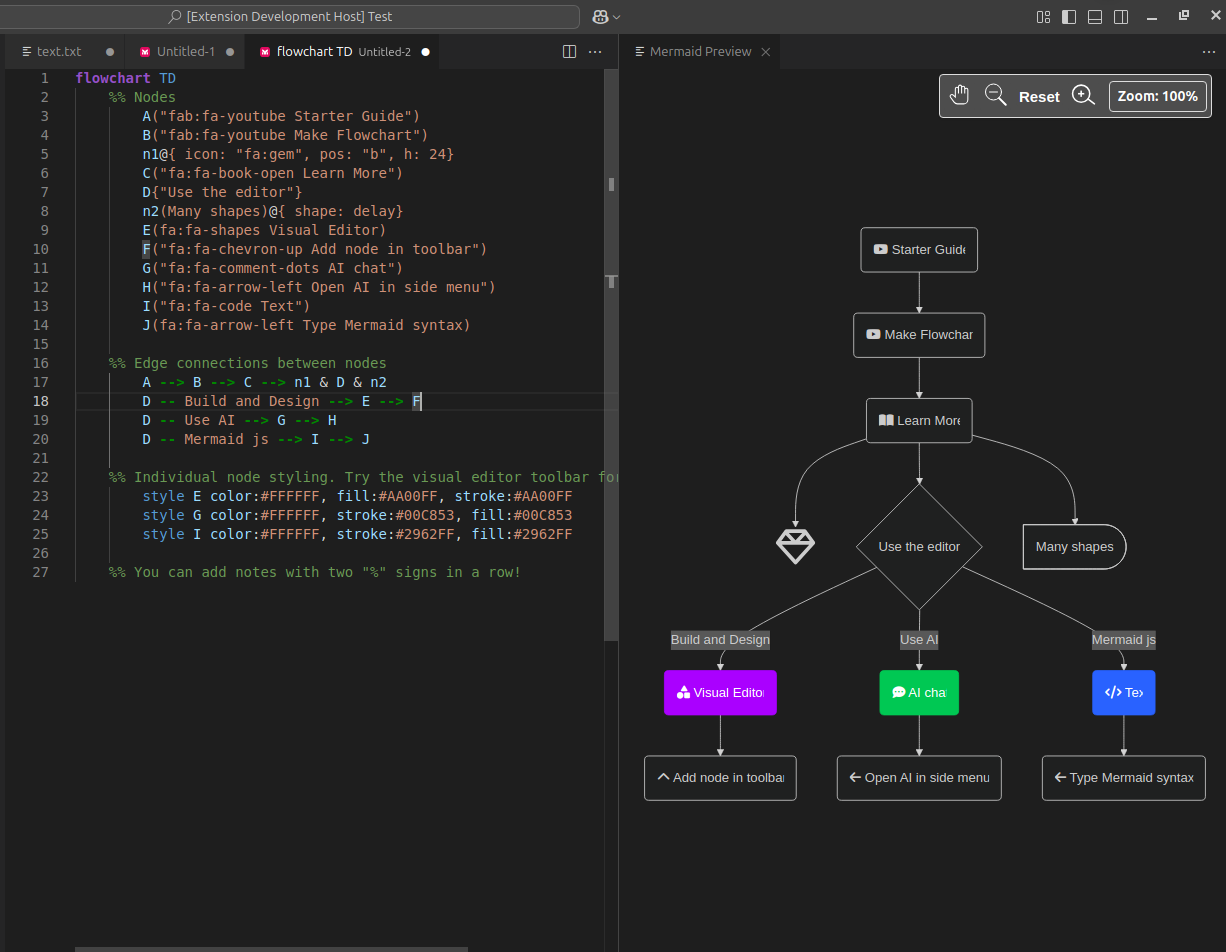
Keep diagrams synced with your codebase
Mermaid diagrams live in the same workflow as your code, so updates are atomic, diffs are clear, and documentation never drifts from reality.Stay in your ecosystem
Mermaid plugins brings diagrams into the tools you already use, so you can think, code, and collaborate without breaking focus.
Create and preview diagrams directly in your editor.
Render and edit diagrams in IntelliJ, WebStorm, PyCharm, and more.
Generate, check, and improve diagrams with natural language.
Create diagrams with natural language prompts inside ChatGPT.
Insert live diagrams into documentation pages.
Add diagrams to issues and tickets for clearer collaboration.
Drop diagrams into your docs and keep them up to date.
Bring clear diagrams into your specs and proposals.
Mermaid vs. Whimsical
Leave the hours of drag-and-drop work behind. Mermaid stores your diagrams in plain text, either in an encrypted cloud or right alongside your code, so documentation scales with your team instead of drifting away from it.
Mermaid vs. Whimsical FAQ
Have questions about Mermaid vs. Whimsical? These should help.