Mermaid for
Backend Engineers
Diagram the systems you build.
Document APIs, map service interactions, and keep your backend architecture visible without leaving your dev environment.
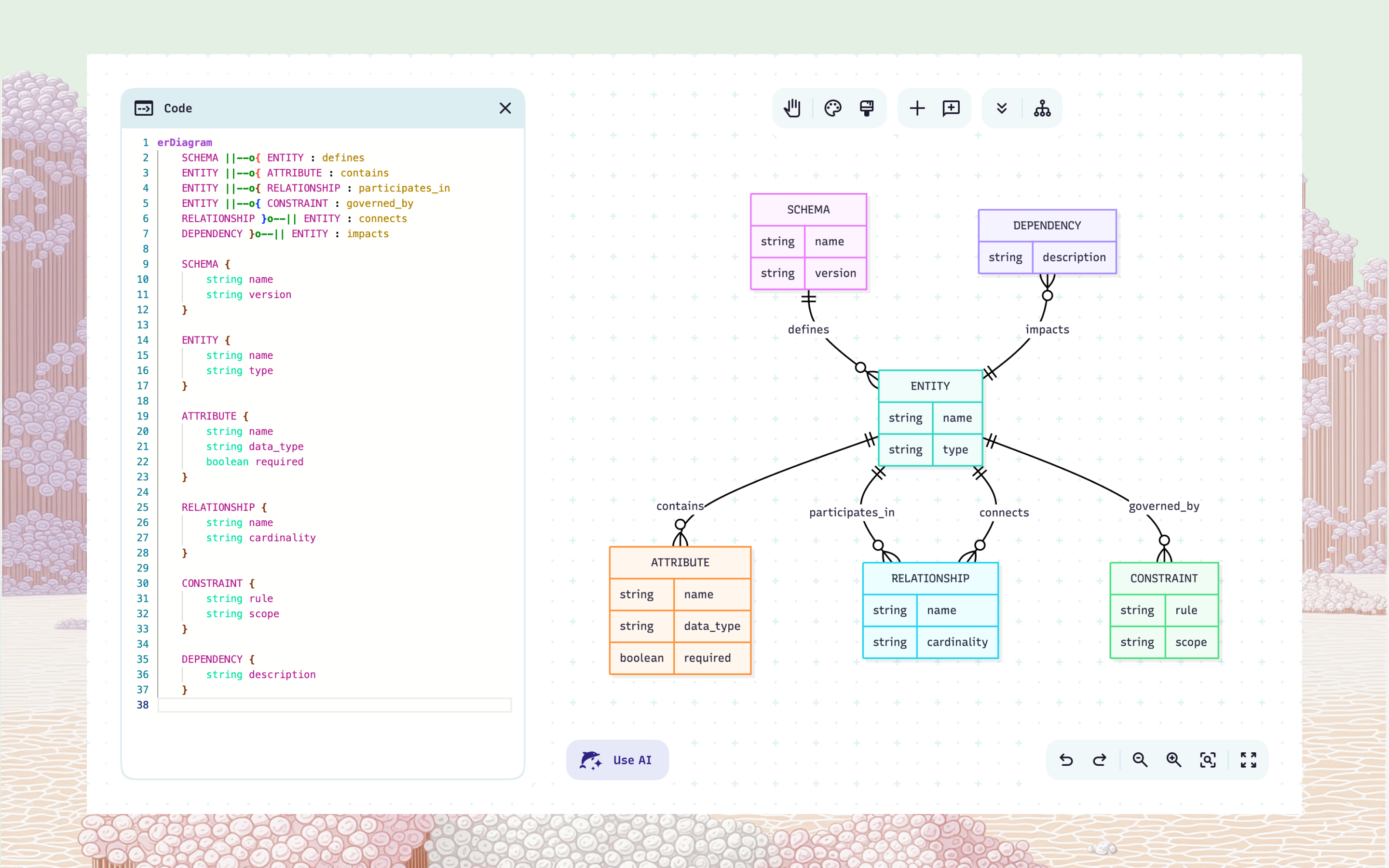
See how your services connect
Turn a description of your backend into a clear architecture or sequence diagram in seconds.
Version diagrams with your code
Attach diagrams to service repos, embed them in API docs, and update them when your architecture changes.
Text in, diagram out
Describe an API contract, service interaction, or backend flow and generate a diagram instantly.
Stay in your ecosystem
Bring diagrams into GitHub, VS Code, Confluence, or wherever your team documents their work.
Collaborate on architecture without the overhead
Share diagrams for async review or edit together live during design discussions and code reviews.
Secure by design
Protect service architecture and API documentation with SSO and enterprise-grade access controls.
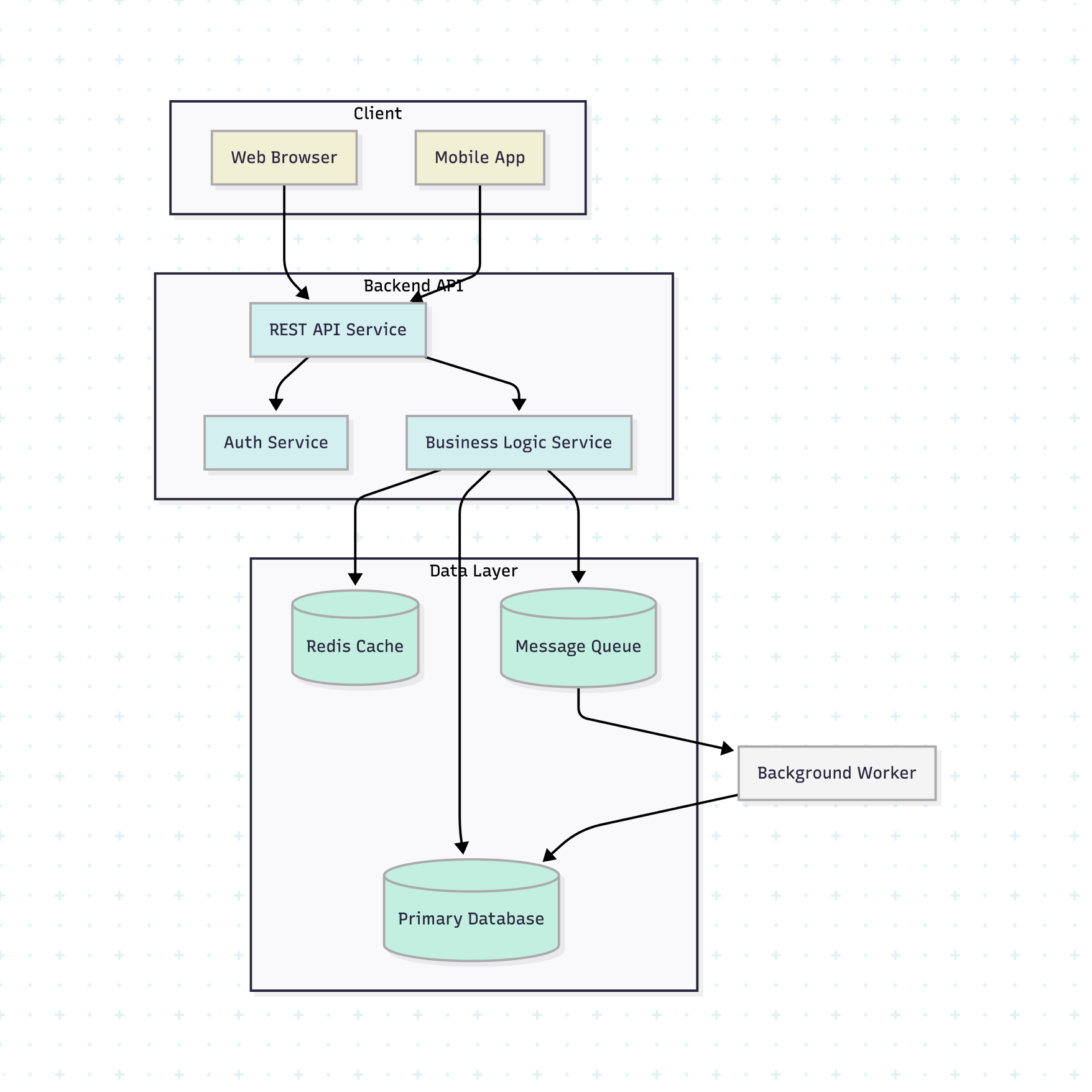
See how your services connect
Turn a description of your backend into a clear architecture or sequence diagram in seconds.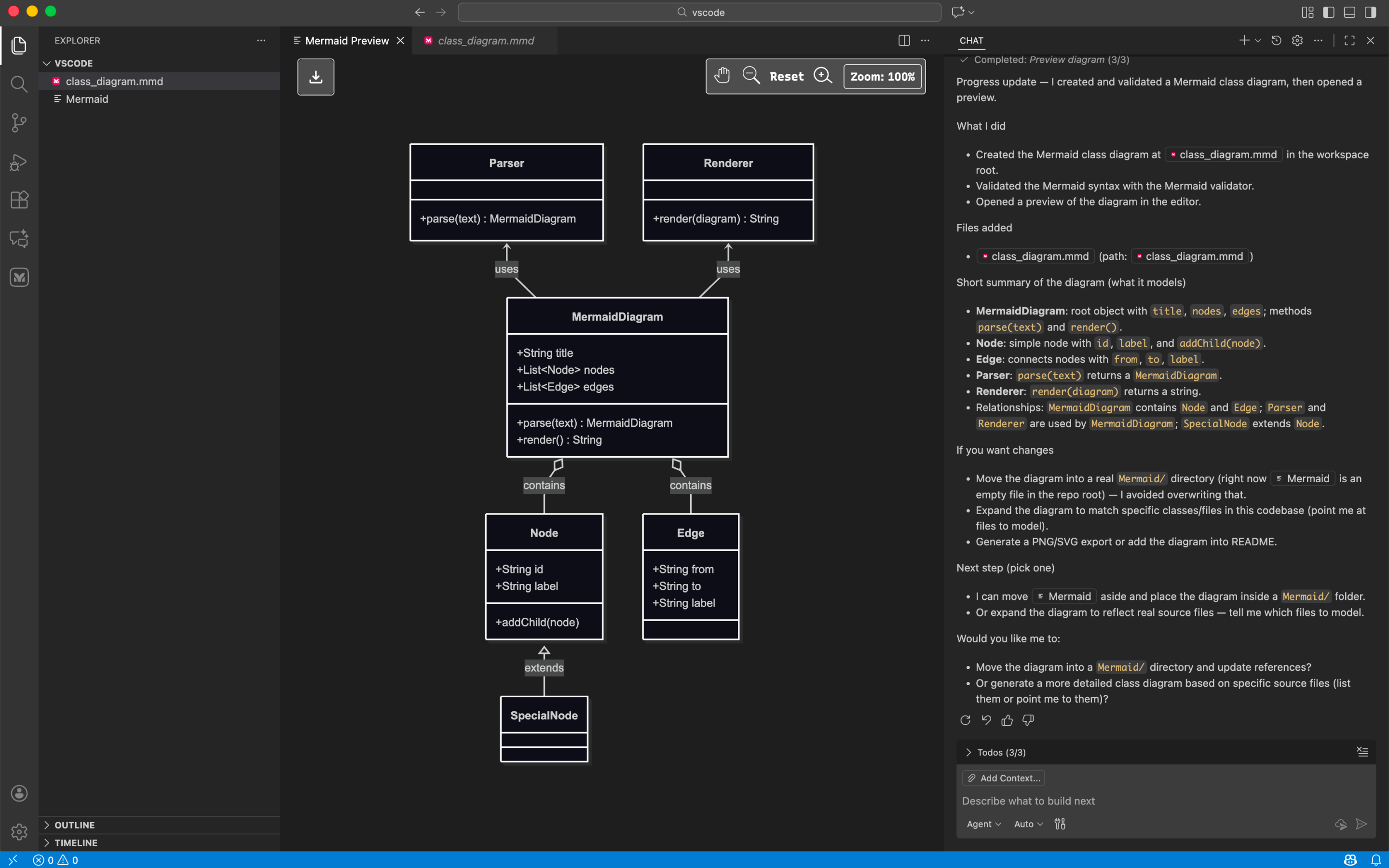
Version diagrams with your code
Attach diagrams to service repos, embed them in API docs, and update them when your architecture changes.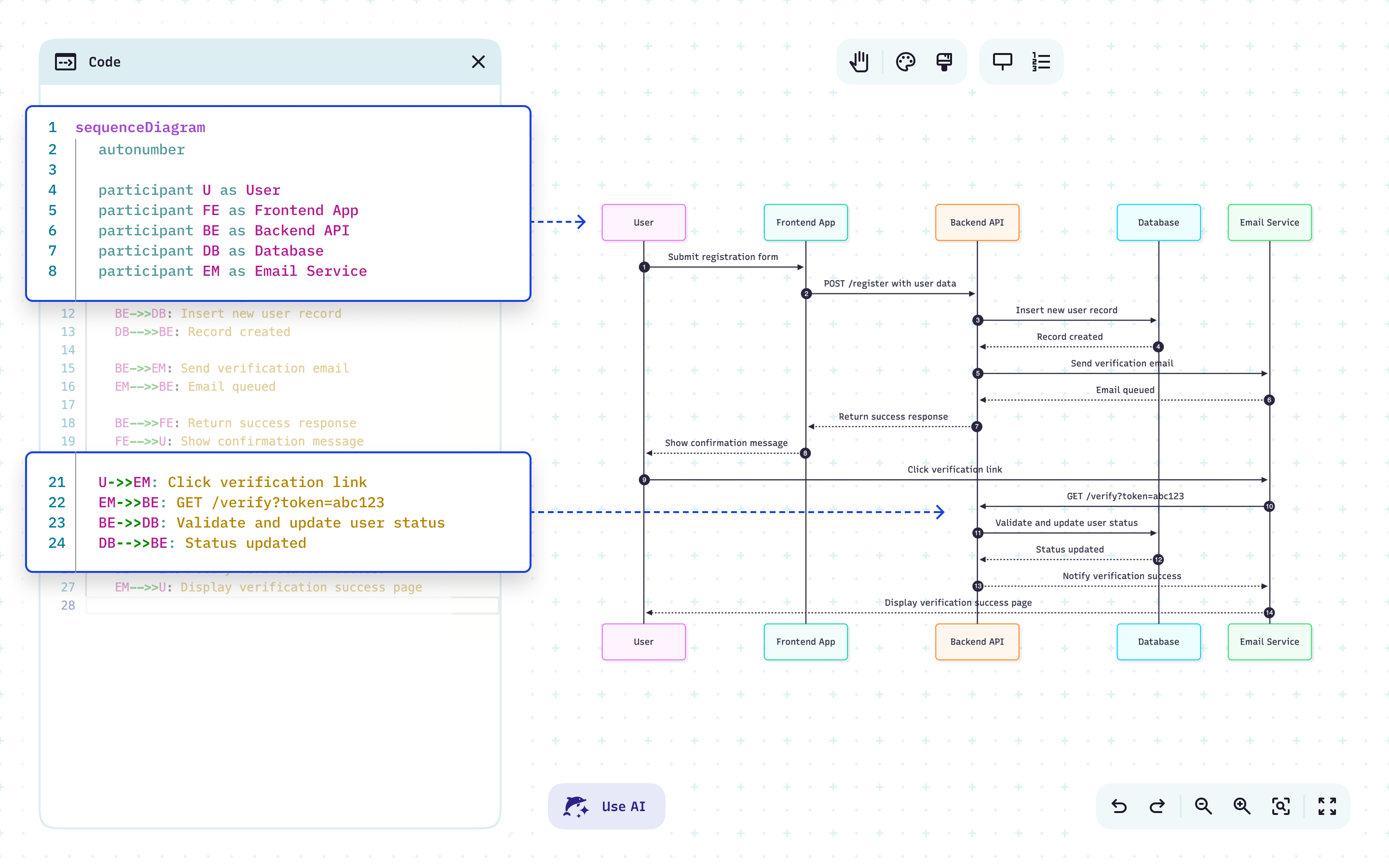
Text in, diagram out
Describe an API contract, service interaction, or backend flow and generate a diagram instantly.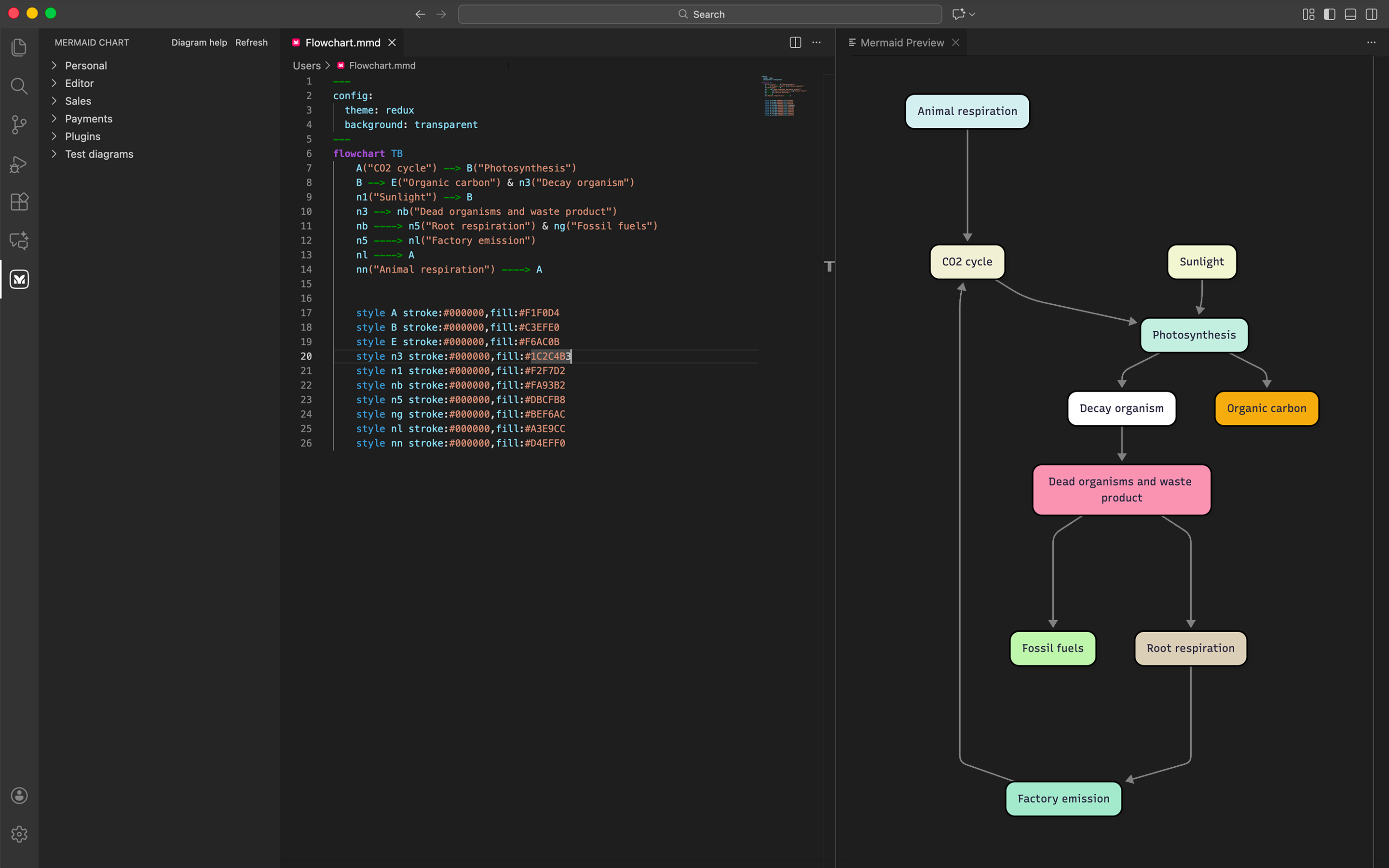
Stay in your ecosystem
Bring diagrams into GitHub, VS Code, Confluence, or wherever your team documents their work.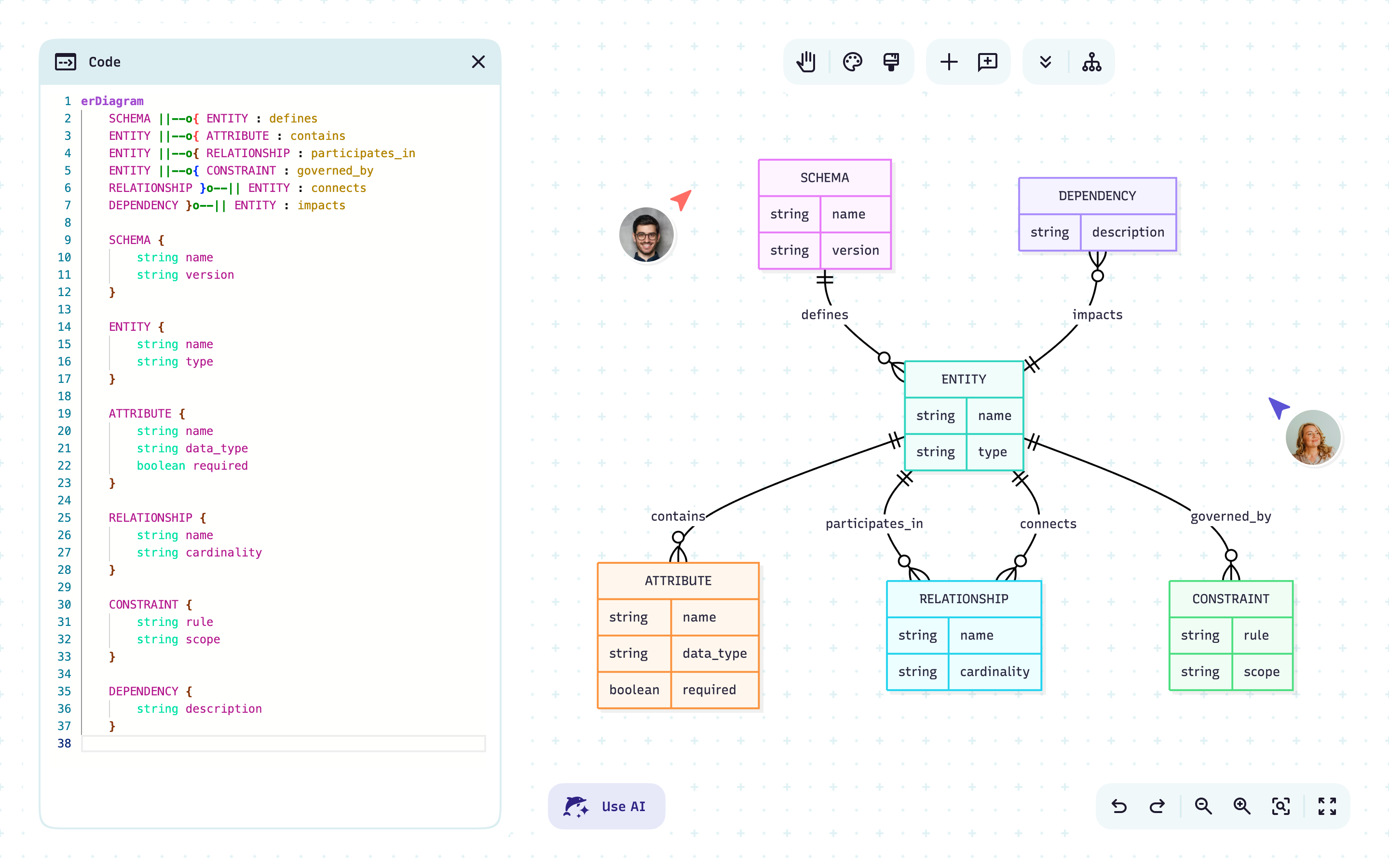
Collaborate on architecture without the overhead
Share diagrams for async review or edit together live during design discussions and code reviews.
Secure by design
Protect service architecture and API documentation with SSO and enterprise-grade access controls.The charts backend engineers rely on
From schemas to services, diagrams that evolve with your code and docs.
Sequence diagrams
Show how services, APIs, queues, and databases exchange messages across a request lifecycle.
Mermaid recommends:
Use for login flows, payment processing, async event handling, or distributed transactions.
Architecture diagrams
Document service boundaries, dependencies, and integration points across your backend stack.
Mermaid recommends:
C4 context or component diagrams to show how backend services fit together.
Flowcharts
Map request handling logic, retry policies, error branching, and background job flows.
Mermaid recommends:
Generate from a plain-text description to quickly capture backend logic without diagramming from scratch.
ER diagrams
Visualize your data model so engineers and stakeholders understand how tables and services relate.
Mermaid recommends:
Build directly from schema text and keep versioned in Git alongside your migrations.
State diagrams
Model entity lifecycles — order states, job statuses, connection handling, caching behavior.
Mermaid recommends:
Use state diagrams to reason about edge cases and error states before they hit production.
“Mermaid makes dense systems easier to explain by handling the diagramming while I focus on the content.”
“A Mermaid sequence diagram helped my team spot a race condition before we wrote any code — and likely saved us a week of debugging.”
“Mermaid made risk visible earlier — compliance, consent boundaries, and failure modes moved into the design phase instead of surfacing late.”
“Mermaid lets me model complex GovTech workflows directly alongside technical documentation. It’s fast, auditable, and precise.”
“Code-driven automation has made onboarding new team members much more efficient and manageable”
“I diagram more often now because it’s fast and enjoyable. Plus, Mermaid really shines during refactors: evolving the diagram tells the story of the change.”

Afrid Shirsekar
Data Scientist, AmazonLess time syncing, more time building
One shared canvas for mapping ideas, collaborating live, and keeping teams on the same page, literally.