What is Mermaid?
Most diagramming tools make you place and connect things by hand. That works until something changes — a process gets a new step, a team restructures, a system gets more complex. At that point you’re not updating a diagram, you’re redrawing one.
Mermaid works differently. You write a plain text description of what you want to show, and Mermaid renders it as a diagram. Change a line of text, the diagram updates. No repositioning, no realigning, no starting over.
How it works
You write plain text syntax in the editor. Mermaid renders it as a diagram in real time. If you’d rather not write syntax yourself, describe what you want to Mermaid AI and it’ll generate the code for you.
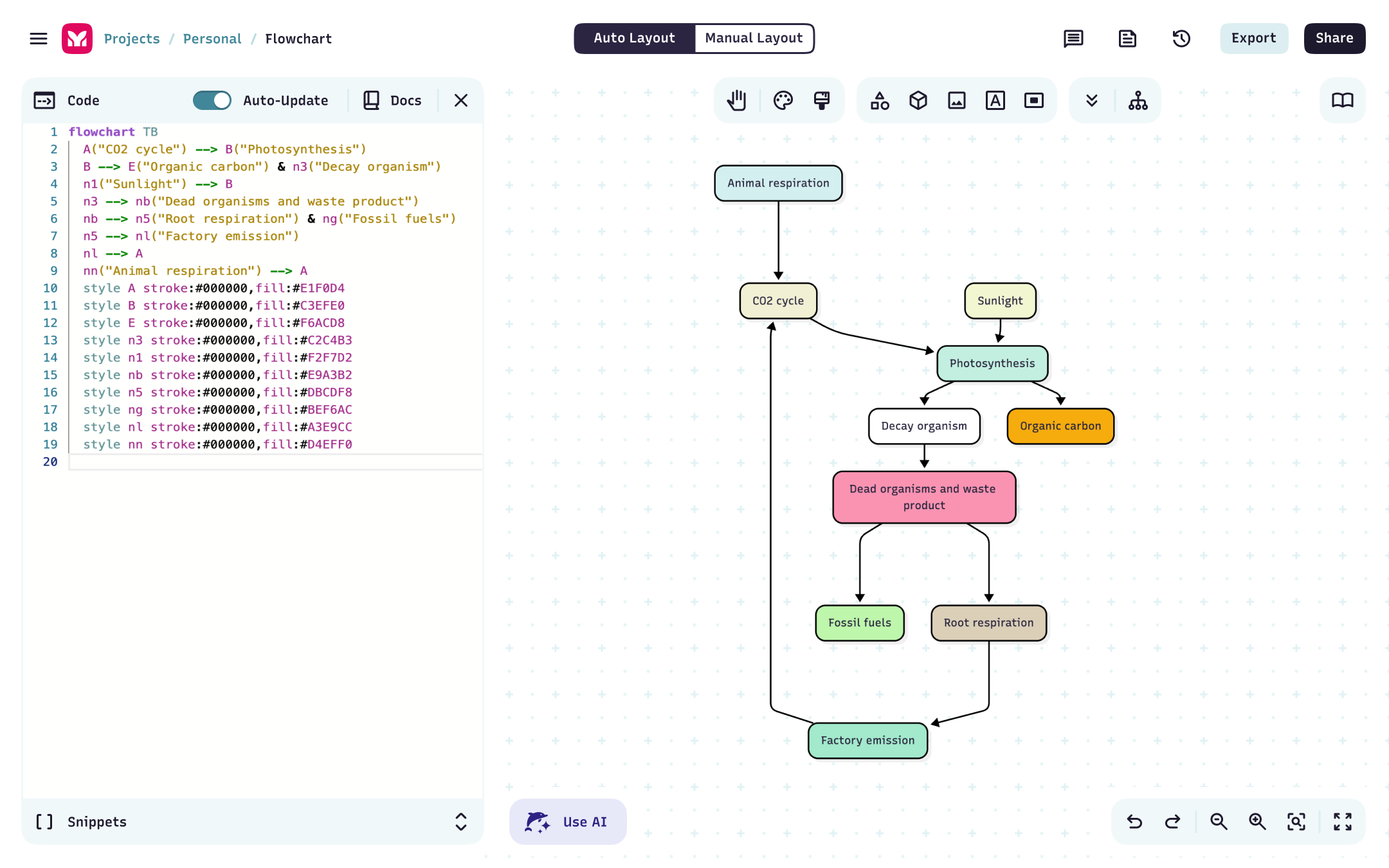
A simple flowchart syntax looks like this:
flowchart LR
    A[Start] --> B[Review request] --> C{Approved?}
    C -->|Yes| D[Move forward]
    C -->|No| E[Send feedback]
What you can build
Mermaid supports over a dozen diagram types. A few of the most common:
| Diagram type | Best for |
|---|---|
| Flowchart | Processes, workflows, decision trees |
| Sequence diagram | How systems or people interact over time |
| Entity relationship diagram | Data models, database structure |
| Gantt chart | Project timelines and scheduling |
| Mindmap | Ideas, hierarchies, brainstorming |
| State diagram | System states and transitions |
| Org chart | Team structure and reporting lines |
Full syntax reference for every diagram type lives in the Mermaid OSS docs →
Where your diagrams live
Mermaid connects to the tools your team already uses — in both directions. Create and edit diagrams from inside VS Code, Confluence, or Jira and sync them back to Mermaid.
Or build in Mermaid and push directly into a Google Doc, a Confluence page, or a Jira ticket. When the diagram updates, it updates everywhere. No re-exporting, no stale screenshots, no broken attachments.
Want to give it a try?
Start on the Basic plan for free: create up to 3 diagrams, try limited AI, and get a feel for the editor. When you’re ready to do more, Plus gives you unlimited diagrams and 300 AI credits per year. See all our plans.
Ready to build?
- Start from scratch in the editor | Create your first diagram →
- Describe what you want and let AI write the syntax | Generate a diagram with AI →