Mermaid AI
This page contains information about Mermaid Chart’s Mermaid AI feature.
Mermaid AI Home
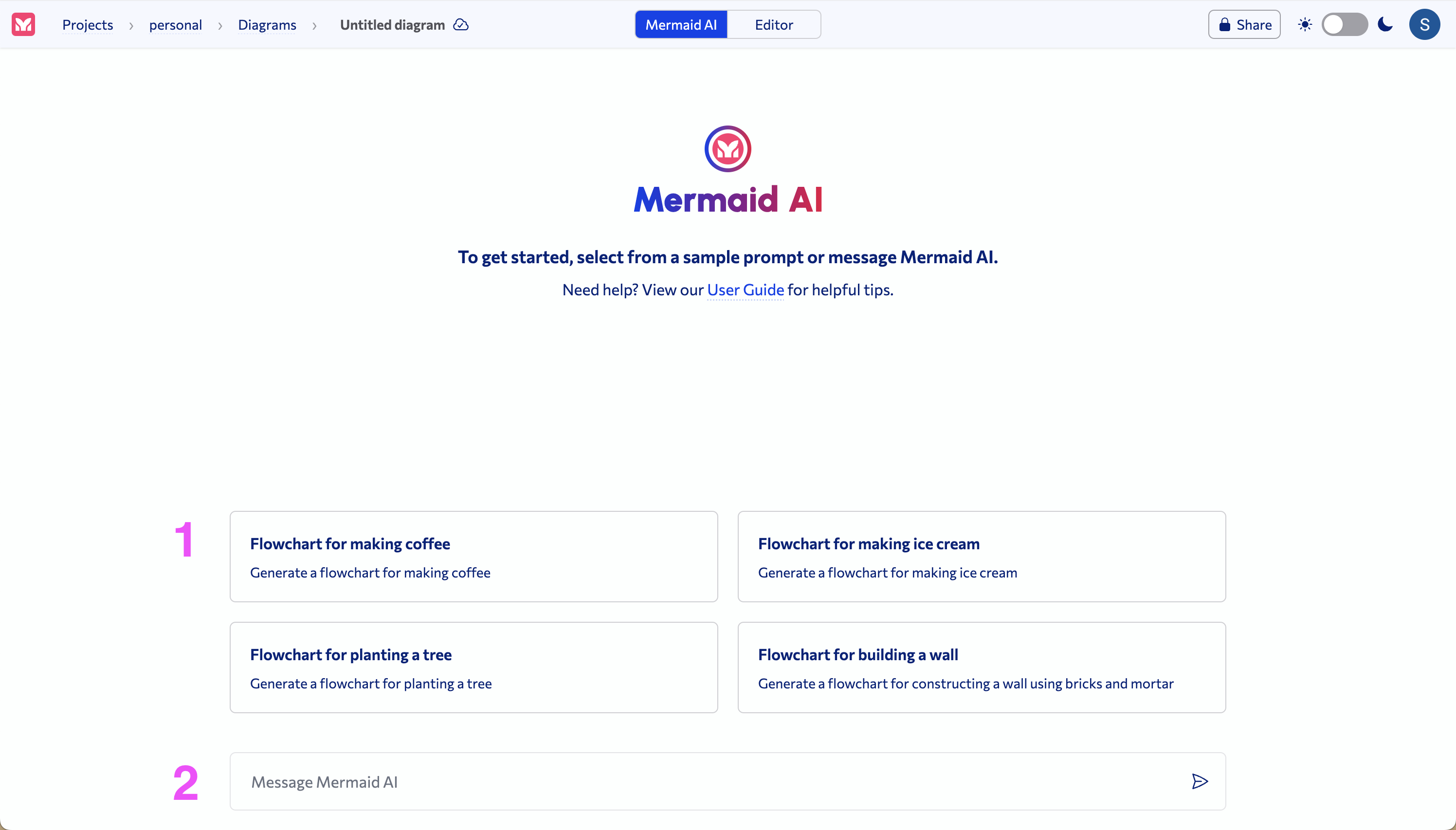
1 Chat prompts
Select from predefined chat prompts to generate a respective diagram.
2 Enter prompt
Enter a custom prompt to generate a diagram.
Mermaid AI Chat
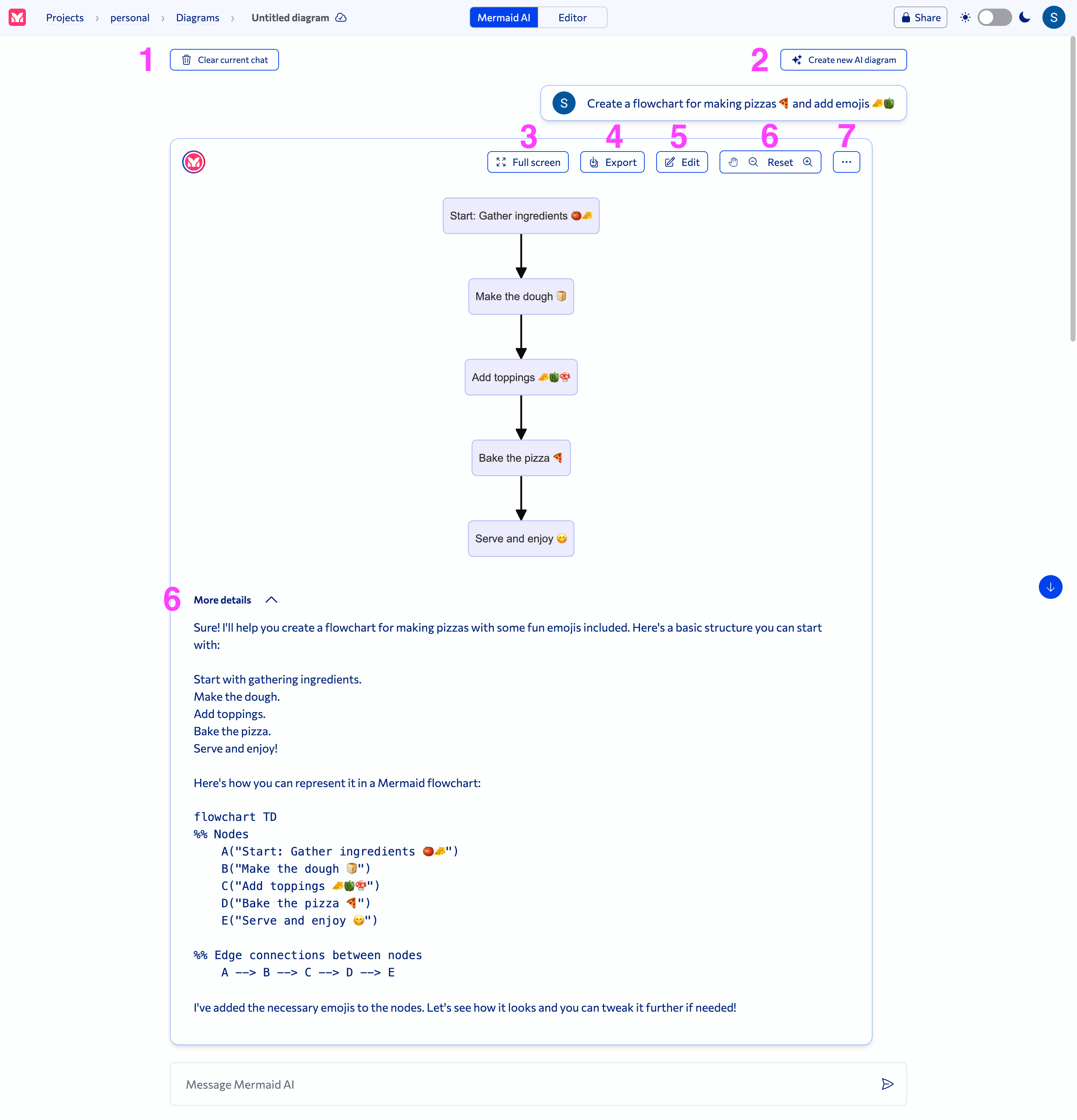
1 Clear current chat button
Clears the current chat so you can start a new one.
2 Create new AI diagram button
Creates a new AI diagram; opens in a new tab.
3 Full screen button
View the diagram in full screen.
4 Export button
Export the diagram as PNG or SVG.
5 Edit button
Edit the diagram in the Mermaid Chart editor.
6 Pan & zoom
Pan and zoom on the diagram.
7 Ellipses button
Saves the diagram as a new diagram; opens in a new tab.
8 More details toggle
Collapse or expand to view the diagram explanation and code.