Mermaid Flow Is in Public Beta – Here's What It Does Today
• 5 mins
If your best AI workflow lives in a chat window, or in a file only you can read, this one’s for you. What Mermaid Flow is and what it can do right now.
What it is
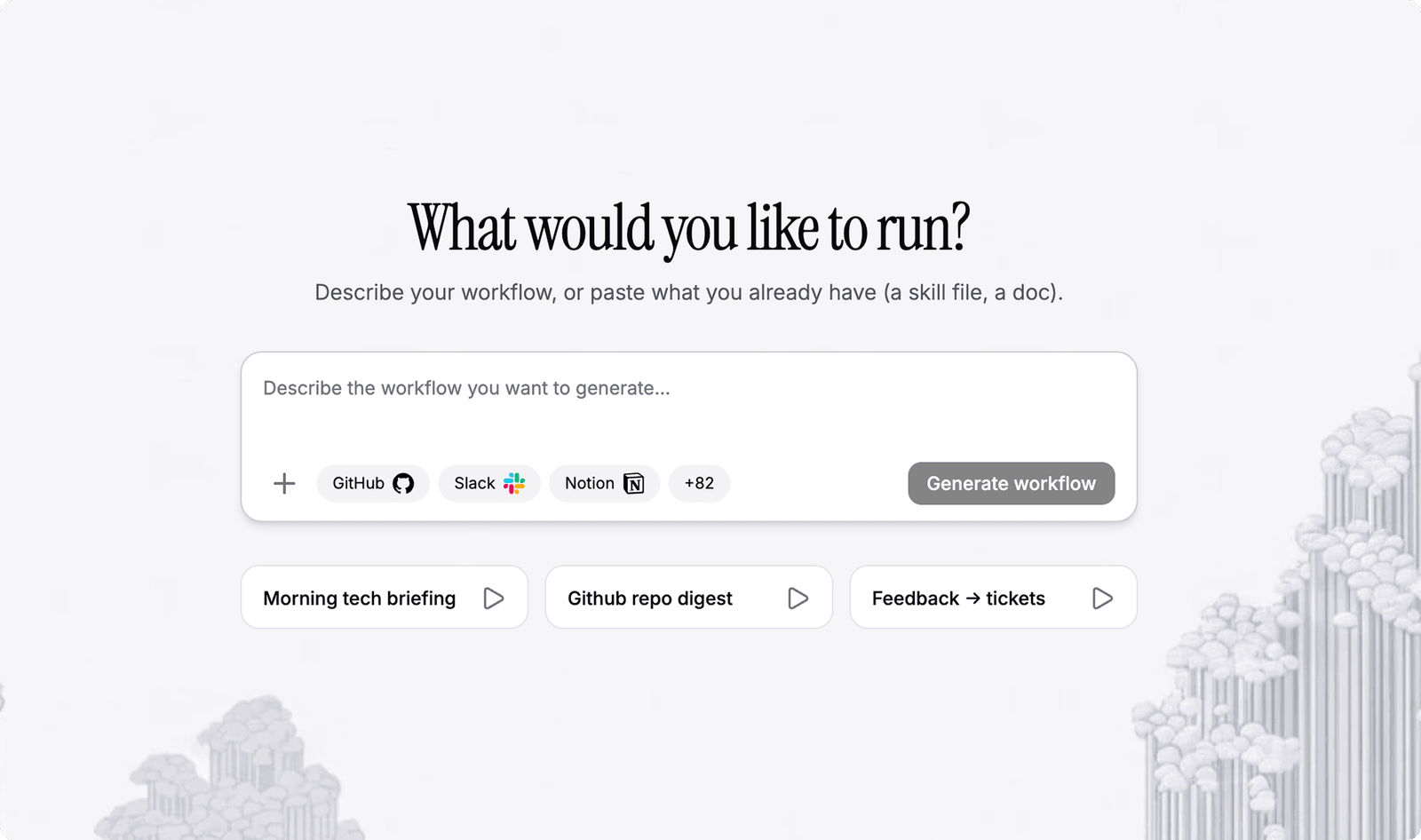
Flow is where an AI workflow goes to live. You lay out the steps on a canvas, connect the services you already use, and run it. The picture is what runs. There’s no second copy to keep in sync, and nothing to re-explain next week.
It’s at flow.mermaid.ai, on the Mermaid login you already have.
Why we built Flow
Somewhere in your chat history is the best version of a workflow you own. You explained it well that afternoon, the model did exactly the thing, and then the conversation ended and took the workflow with it. A week later you explain it again from memory, slightly differently, and get something slightly different back.
Nobody can see any of it. Not the version that worked, not the version you’re running now, not the difference between them. It lives in a window only you have open, and when someone asks how it works, the honest answer is that you’d have to run it again and watch.
What changed isn’t our canvas. It’s when the models started reading. Claude, ChatGPT, Copilot, Cursor, and Gemini all write Mermaid without being asked, because Mermaid is text. Once a model can read the description and act on it, the description can stop being a description. The picture can’t drift from the workflow when the picture is the workflow.
That matters more now than it would have two years ago. Systems and teams are changing faster than anyone can keep documented, so more of the work gets handed to automation. Automation is only an improvement if you can still open it, read it, and change it.
What you actually get
You can watch it run. Every step sits on the canvas, and every run is recorded. Click into a step and you’ll see what went in and what came out.
Most people find this the first time something goes sideways. You run your PR review workflow over a gnarly migration, it comes back calling the migration risky, and you want to know whether it had an actual reason or just didn’t like the look of the diff. You can go and check. Without that, you’re taking the output on faith, which is a fine way to run an experiment and a bad way to run anything your team depends on.
The workflow holds still. A chat prompt is something you perform. You give it again each time, and how well it goes depends partly on how well you explained it that day. A workflow is written down once, in the order you meant, with the loops as loops and the decisions as decisions. Run it in the morning and run it again in October and it takes the same path.
What that opens up is the work you never automated because re-explaining it every time costs more than doing it. Release notes nobody writes. Issue triage that quietly piles up until someone has a bad Thursday. Docs that drift a little further from the code every sprint. None of it was ever hard, it just wasn’t worth setting up twice.
You can take it with you. A workflow in Flow is Mermaid text. Not a canvas sitting on top of a file format you’ll never see, but the same text you already paste into a model or drop into a README.
So it’s readable outside our tool. Keep a copy in the repo. Put a change in a pull request and have someone actually review it. Diff two versions and see what moved. Every major model reads Mermaid already, so it goes back into a chat window as easily as it came out of one.
Someone else can pick it up. A workflow you built alone tends to stay yours. A prompt file reads top to bottom, so anyone who didn’t write it has to reconstruct the shape in their head. A script rules out half the team. Either way you end up on call for your own convenience, which is not what you were going for.
A workflow on a canvas is legible to the person who didn’t build it. Hand it over and they can follow what it does and why, without you narrating it over their shoulder. That’s the difference between a shortcut you have and something your team can inherit.
What’s in the works
Here’s what works today. You build a workflow in the editor, or by describing it to the AI in chat. You connect services through MCP connectors, GitHub among them, and the workflow uses them as steps. You run it, open any step to see what it did, and look back through past runs.
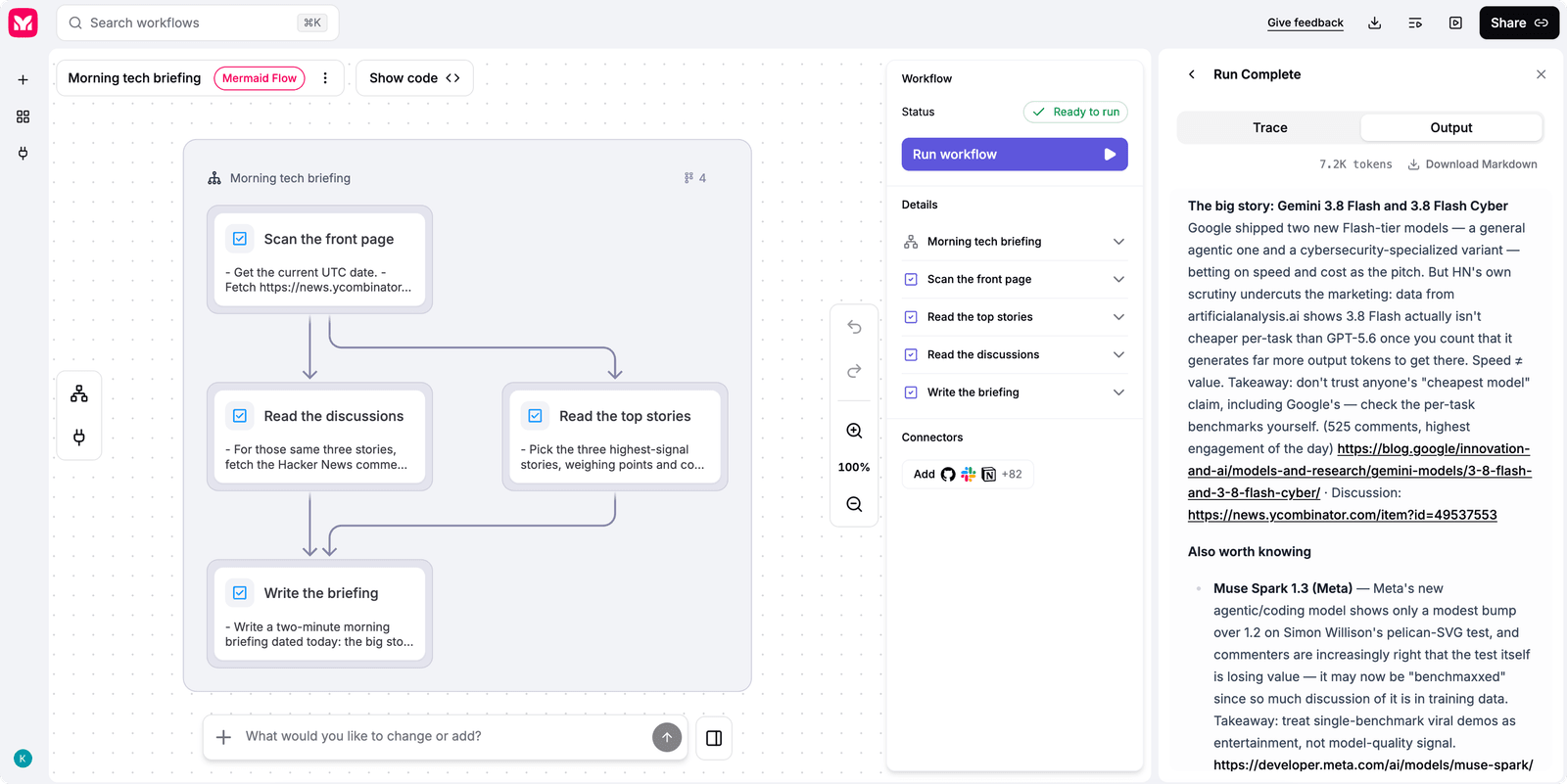
Runs are started by you, by hand. Scheduling and triggers are what we’re working on next, and we’ll write about them when they’re in your hands rather than in our plans.
So, plainly: today Flow makes a workflow durable, legible, and portable. It doesn’t yet run while you’re asleep. What you build now won’t change when it triggers land, only what sets it off.
Where to start
Take the workflow you’d otherwise explain to a model for the fourth time. Open flow.mermaid.ai and describe it the way you’d explain it to someone new on the team.
If you want somewhere to start, here’s what we’ve been automating ourselves:
- Meeting notes into action items. Transcript in, summary and tickets out, filed where people already look.
- Inbound triage. Issues, bug reports, and feedback get deduped, classified, and routed, instead of read twice by two different people.
- PR review against your standards. Not generic review, but the conventions your team keeps relitigating in comments, applied the same way every time.
- Docs and diagram drift. A merged PR gets checked against the docs it should have updated, and the update gets opened.
Then tell us what’s missing. Public beta means we’re still actively shaping our roadmap, and the people running real workflows are the ones we listen to first.
– The Mermaid team